Change the history view.
Choose a list or a calendar for your transaction history.
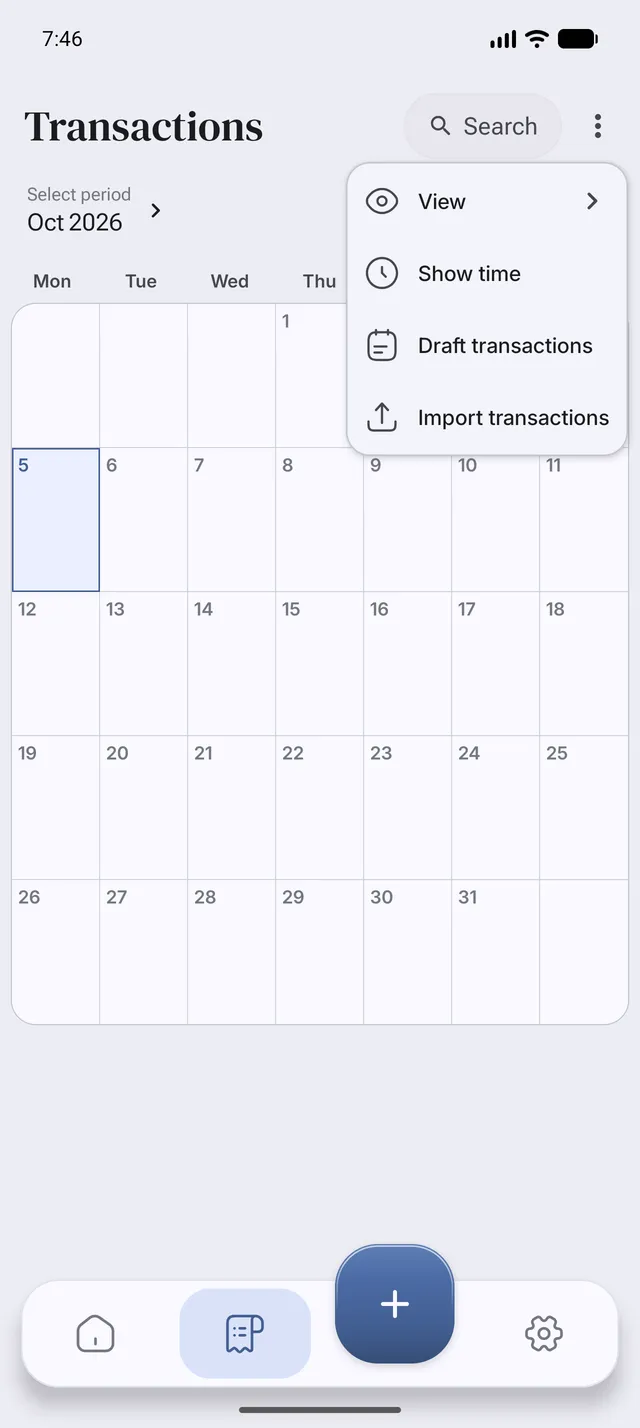
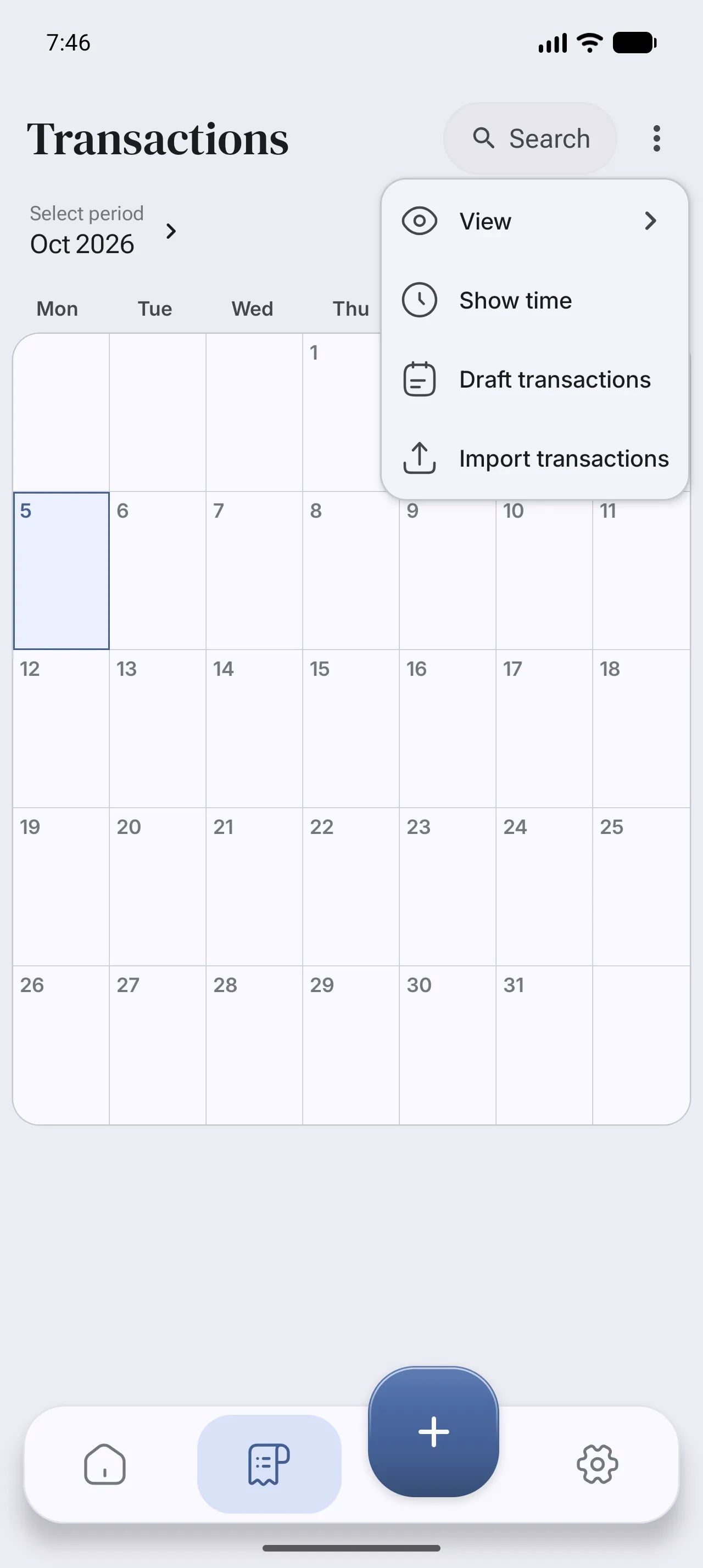
Open the menu
In Transactions, tap the three-dot menu at the top right.
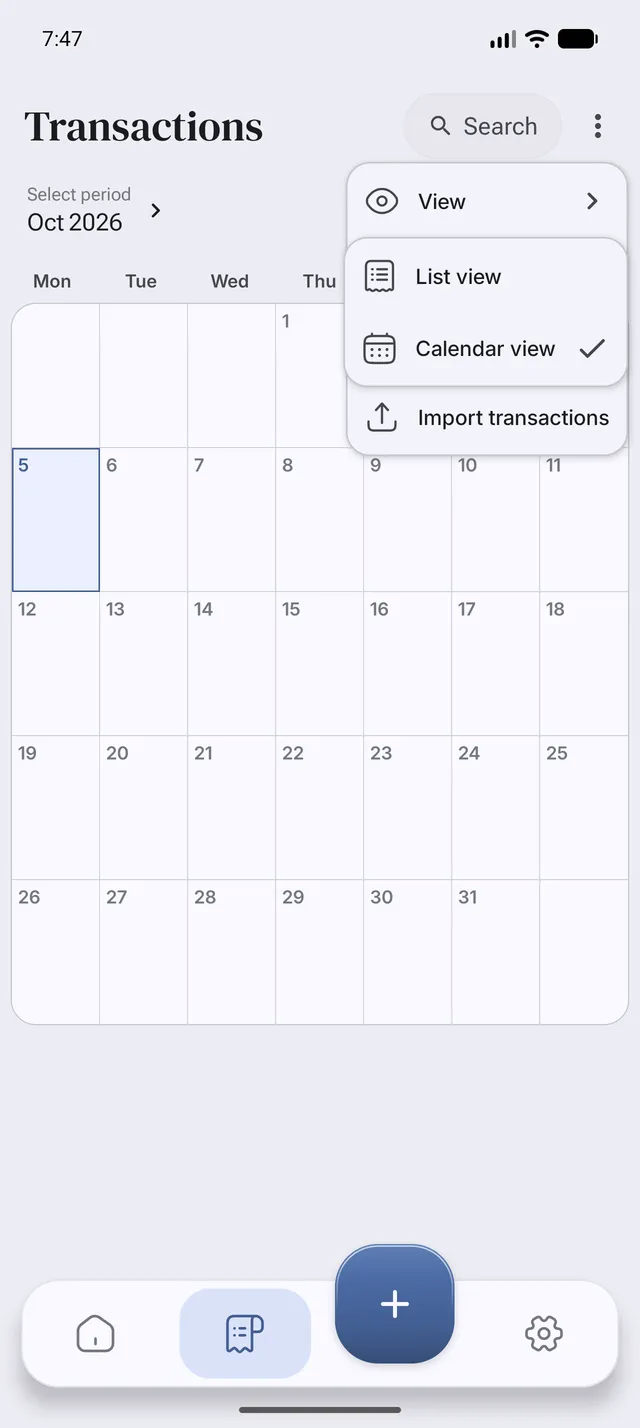
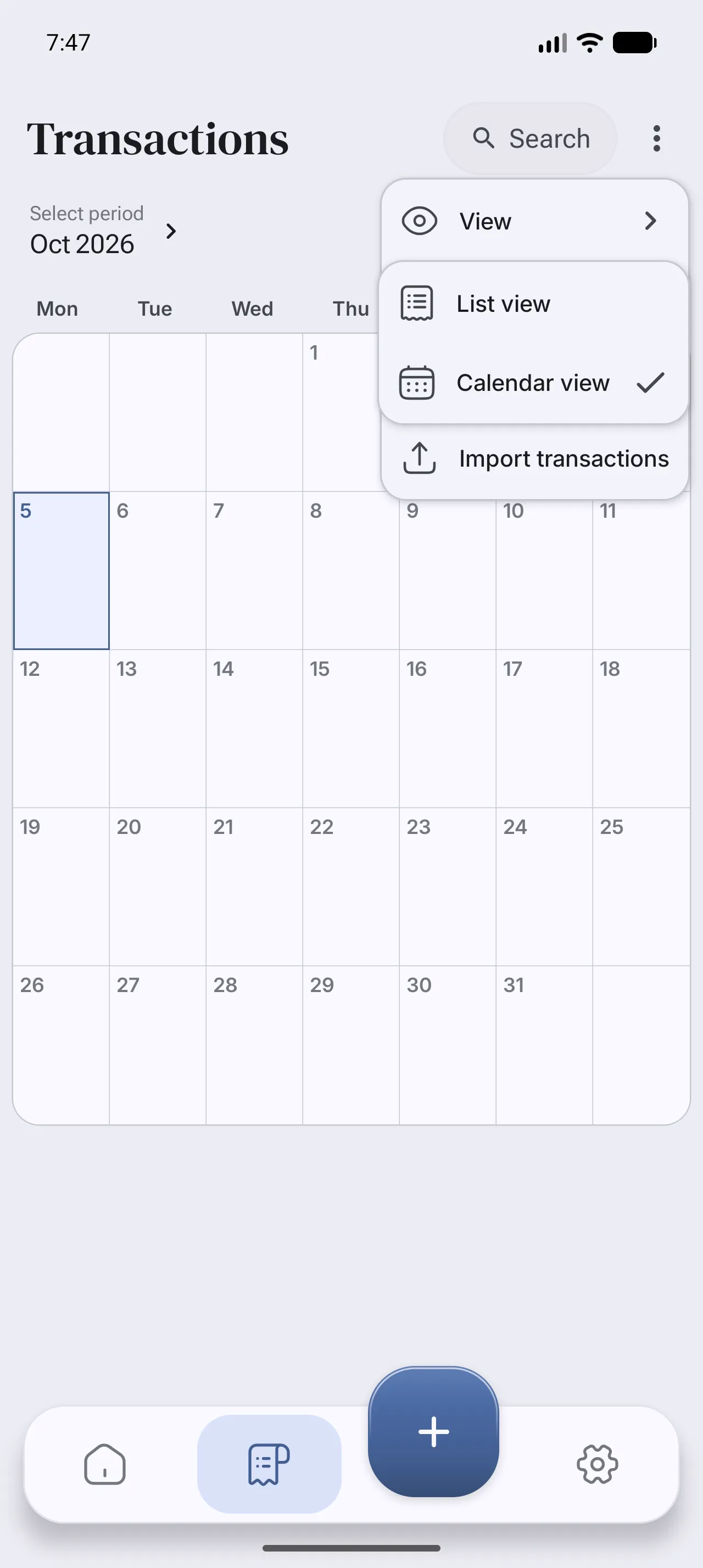
Open View
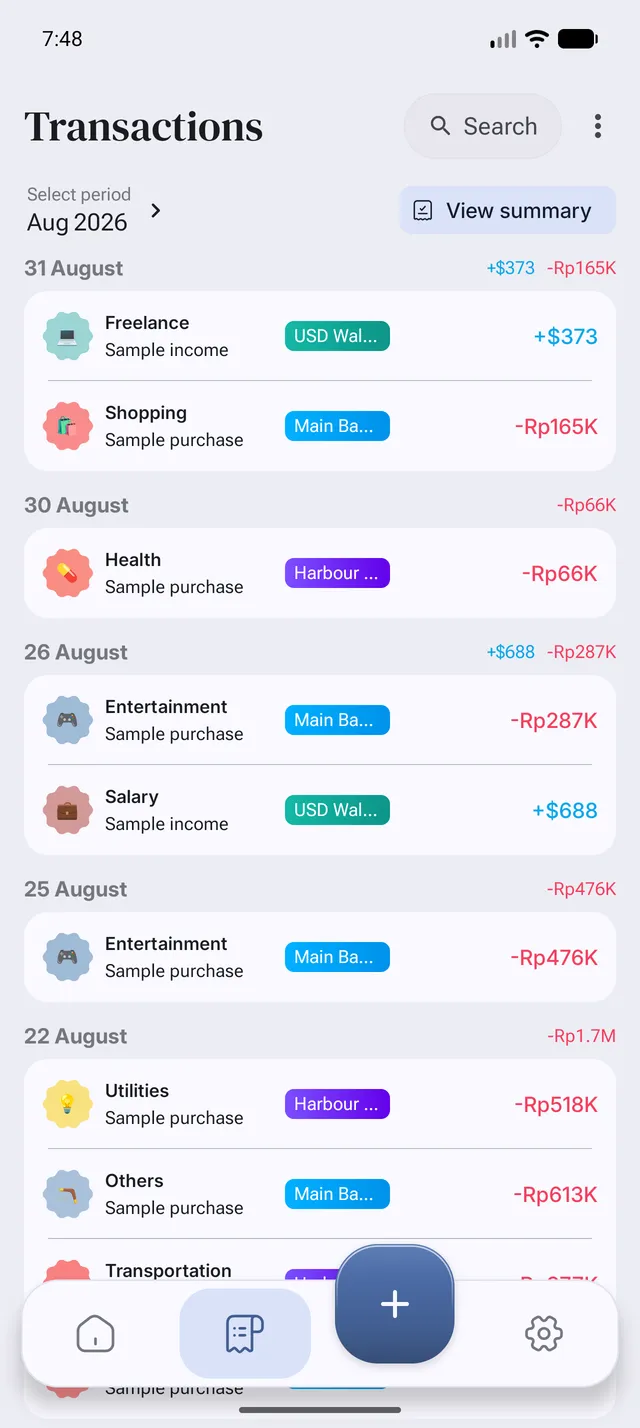
Tap View to see the available layouts. Show time in the main menu adds times to the list.
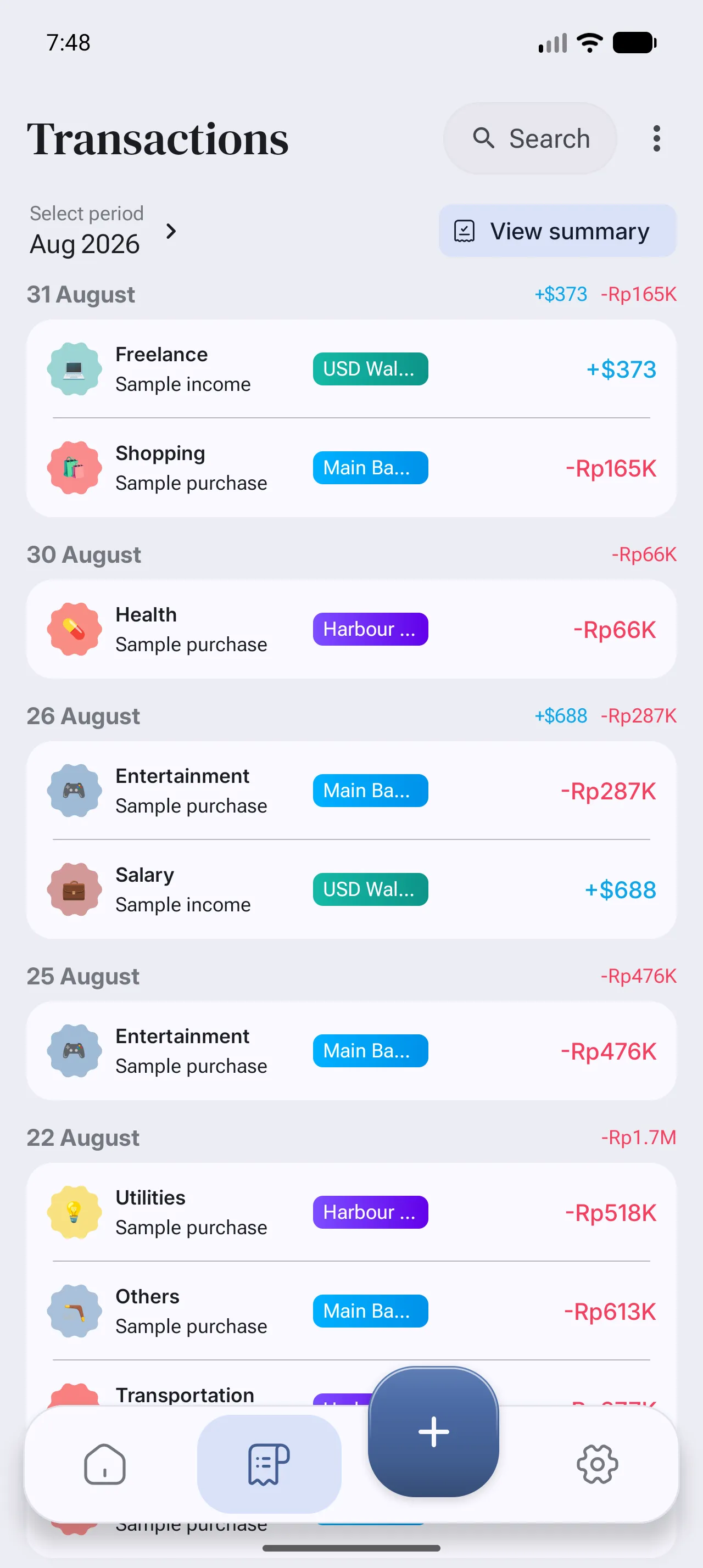
Choose a layout
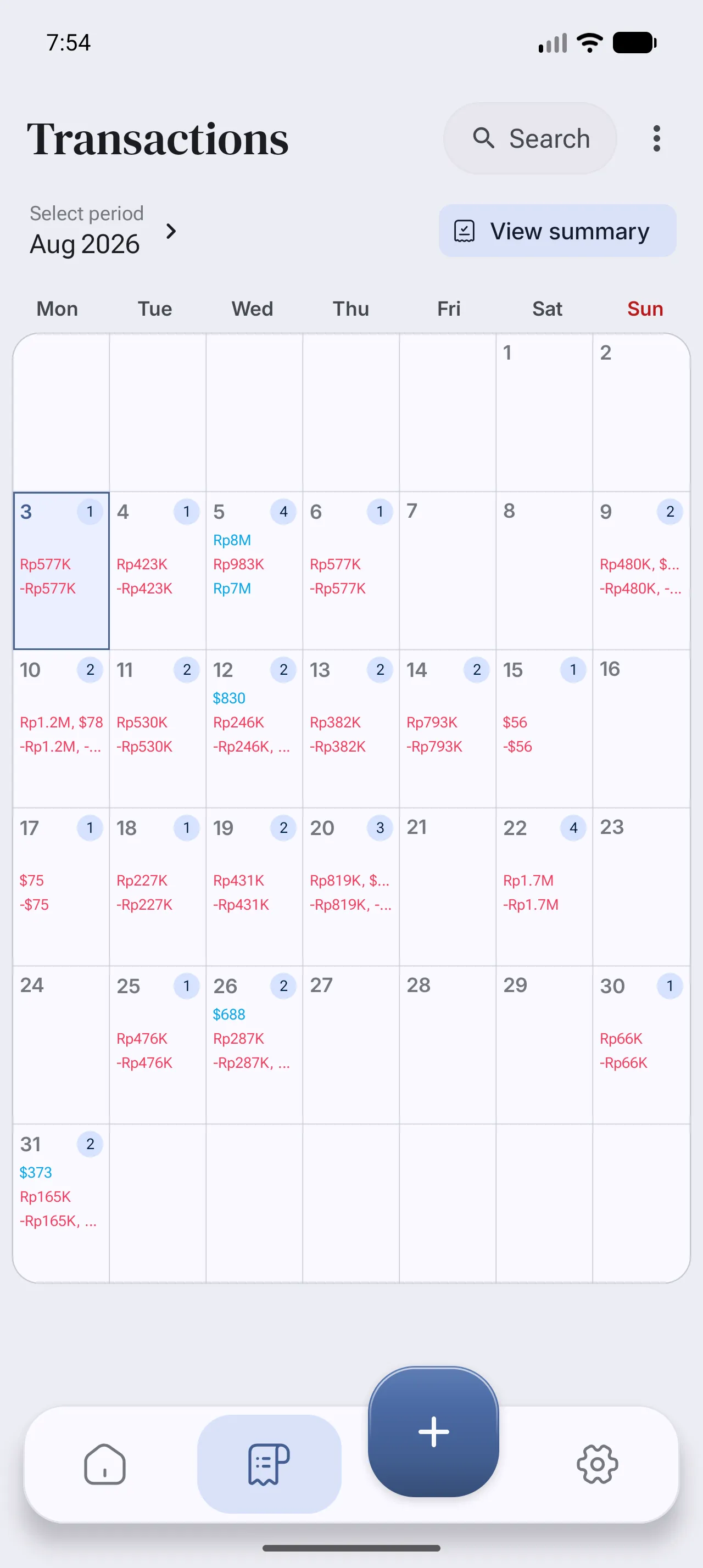
Select Calendar view for daily totals, or List view for entries grouped by date.
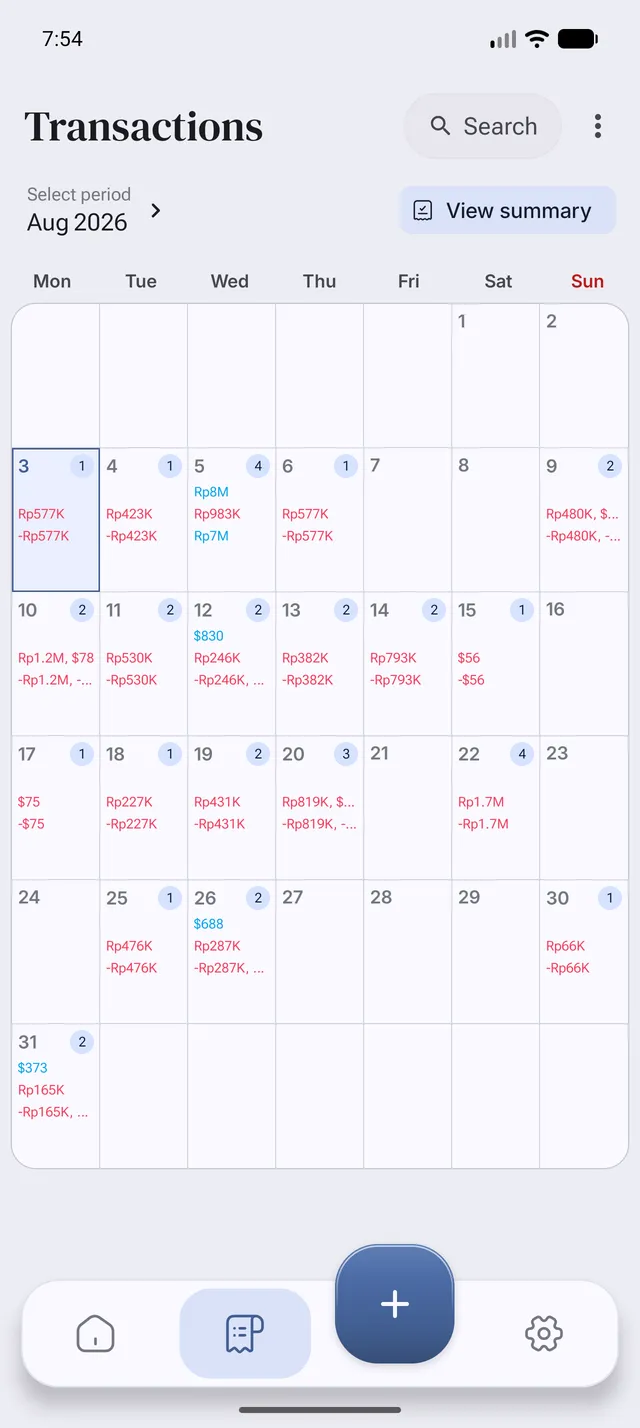
Browse the calendar
Choose the month you want to review. Tap a day with entries to inspect its transactions. To return to the list, open the menu, choose View, then List view.