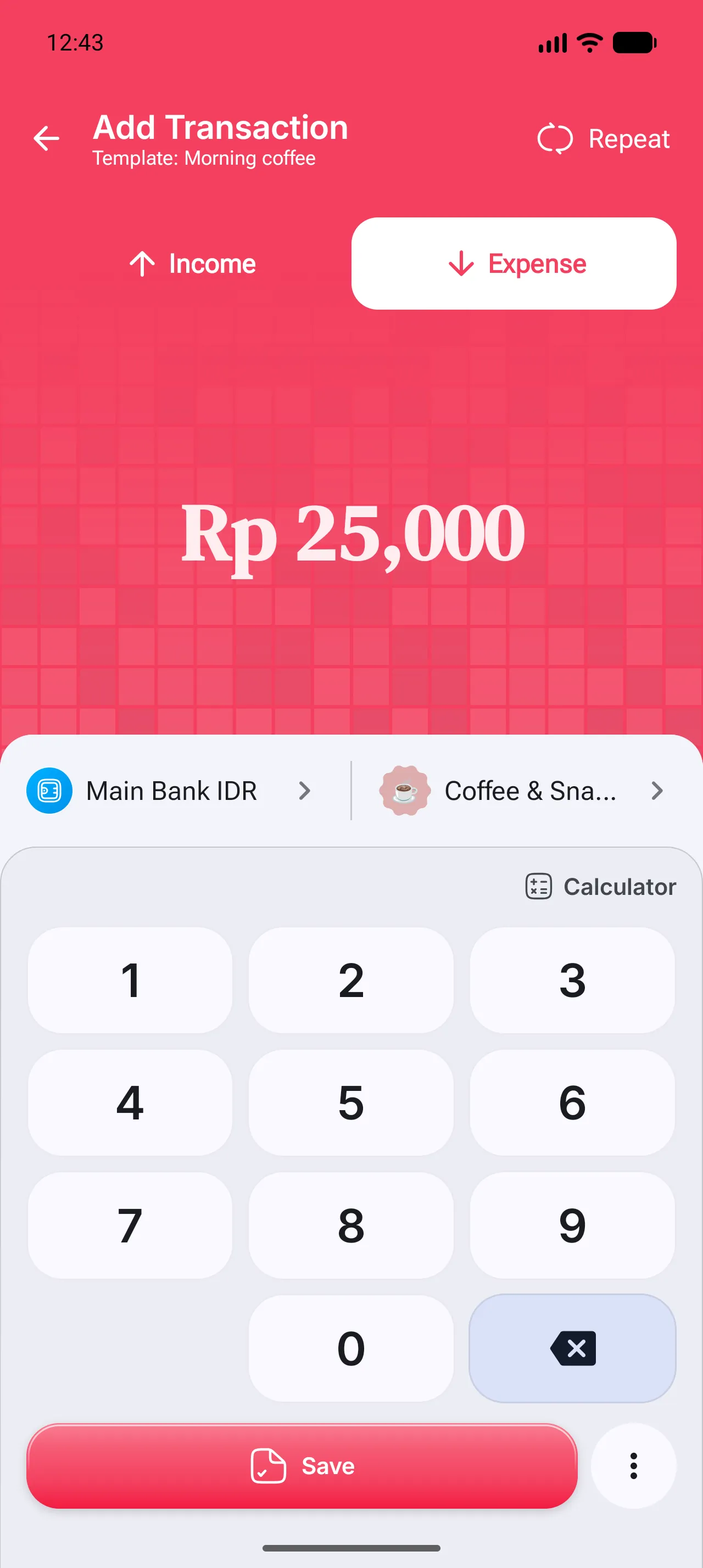
Use transaction templates from your home screen.
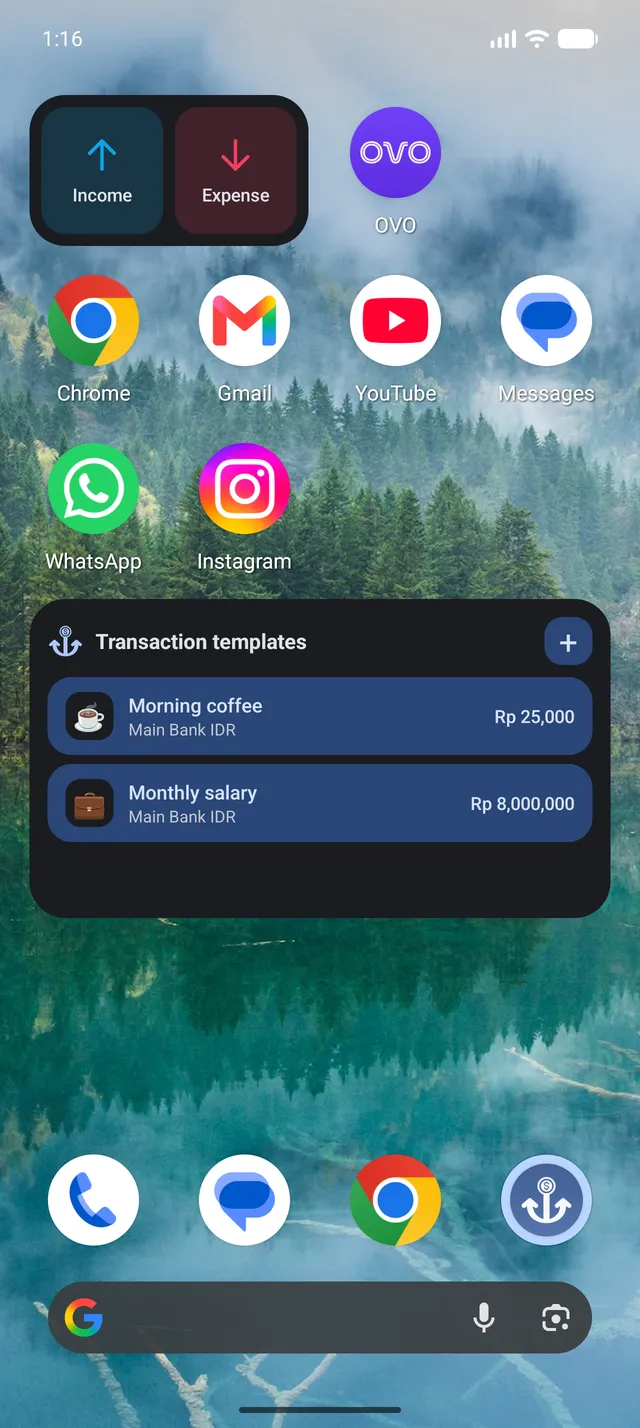
Open a transaction using a template from an Android widget.
Create a template first
Create a transaction template in Harbour and use it when recording a transaction. The widget provides shortcuts to recently used templates.
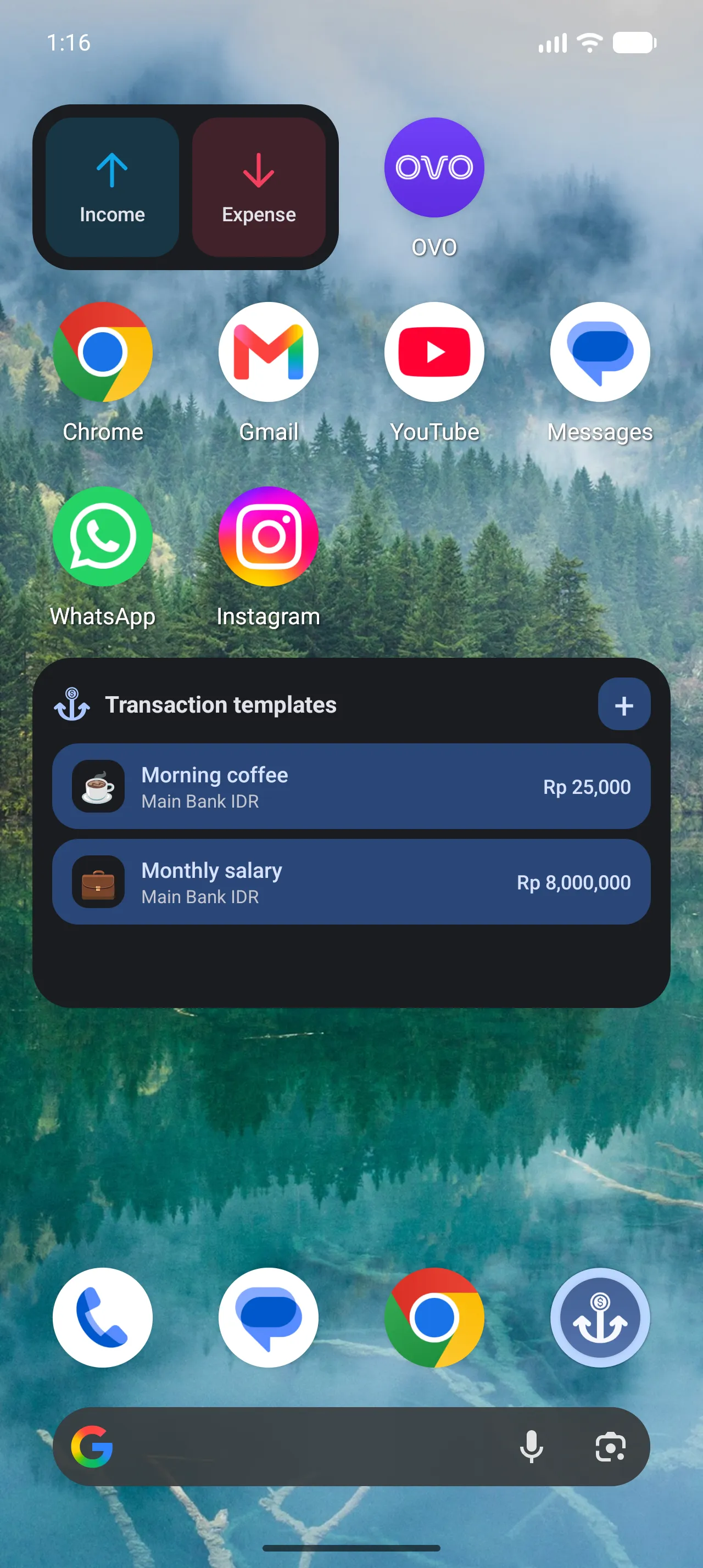
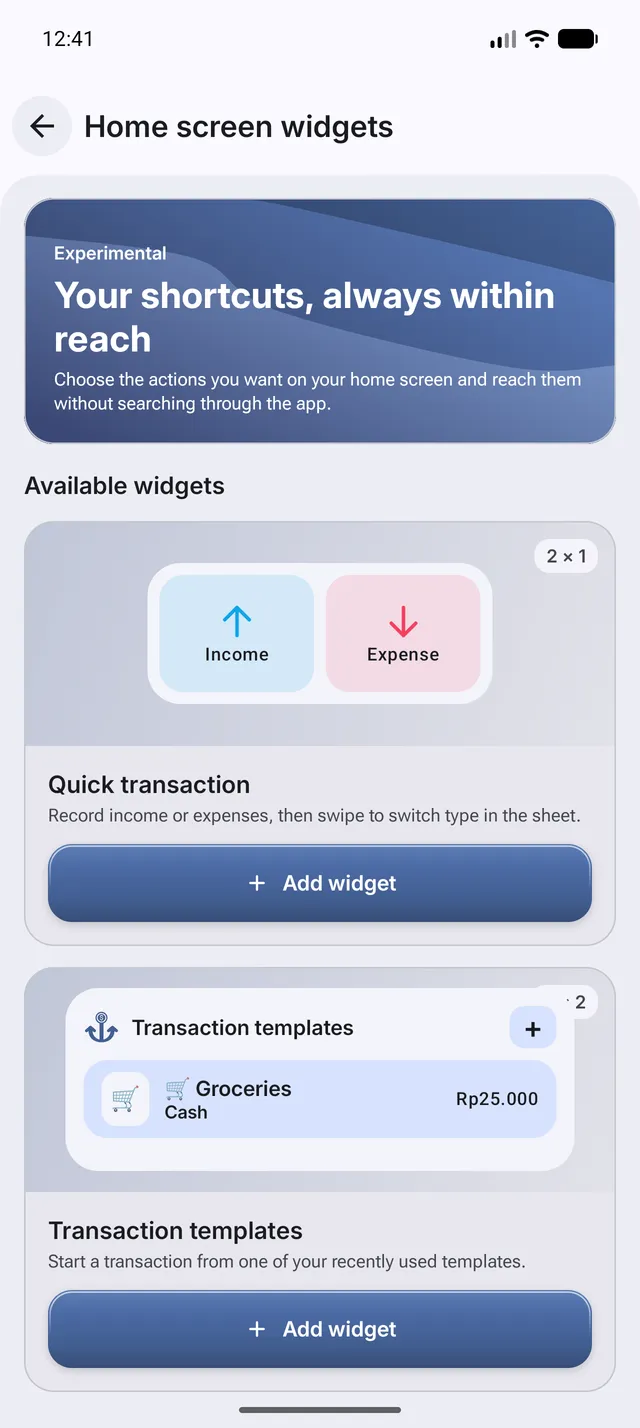
Add the template widget
Open Settings, then Home screen widgets. Under Transaction templates, tap Add widget and confirm placement in your launcher.
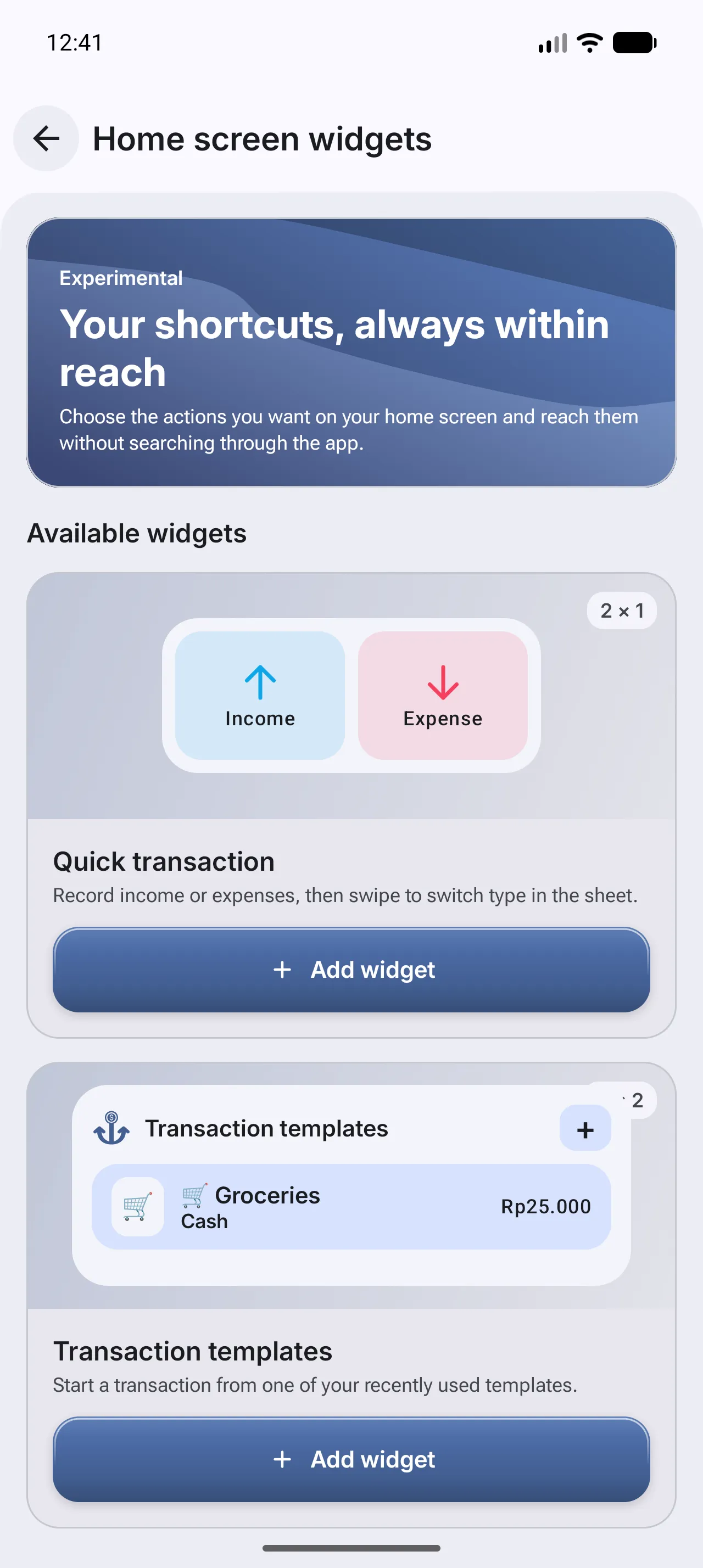
Tap a template
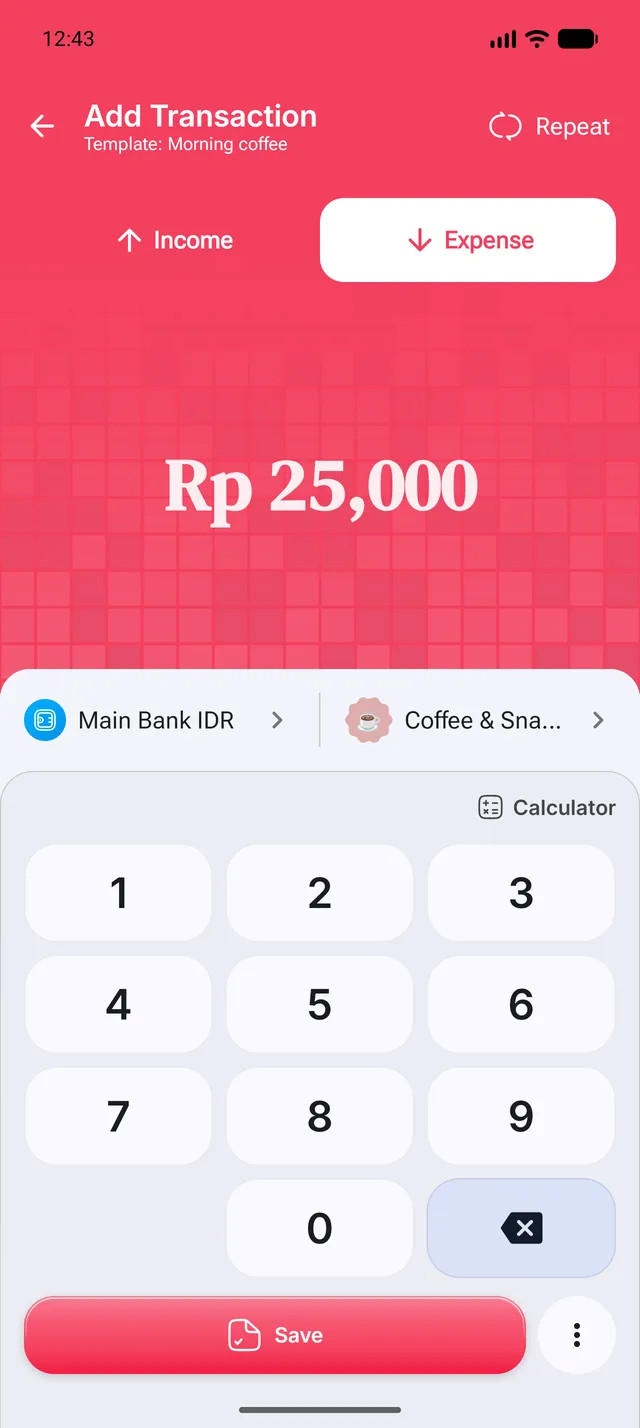
On your Android home screen, tap the template you want to use. Harbour opens Add Transaction with its saved details.
Check the details and save
Review the amount, account and category, and adjust anything that has changed. Tap Save to record the transaction. Opening a template alone does not save a transaction.