View assets and credit utilization.
Review asset balances and credit-limit usage.
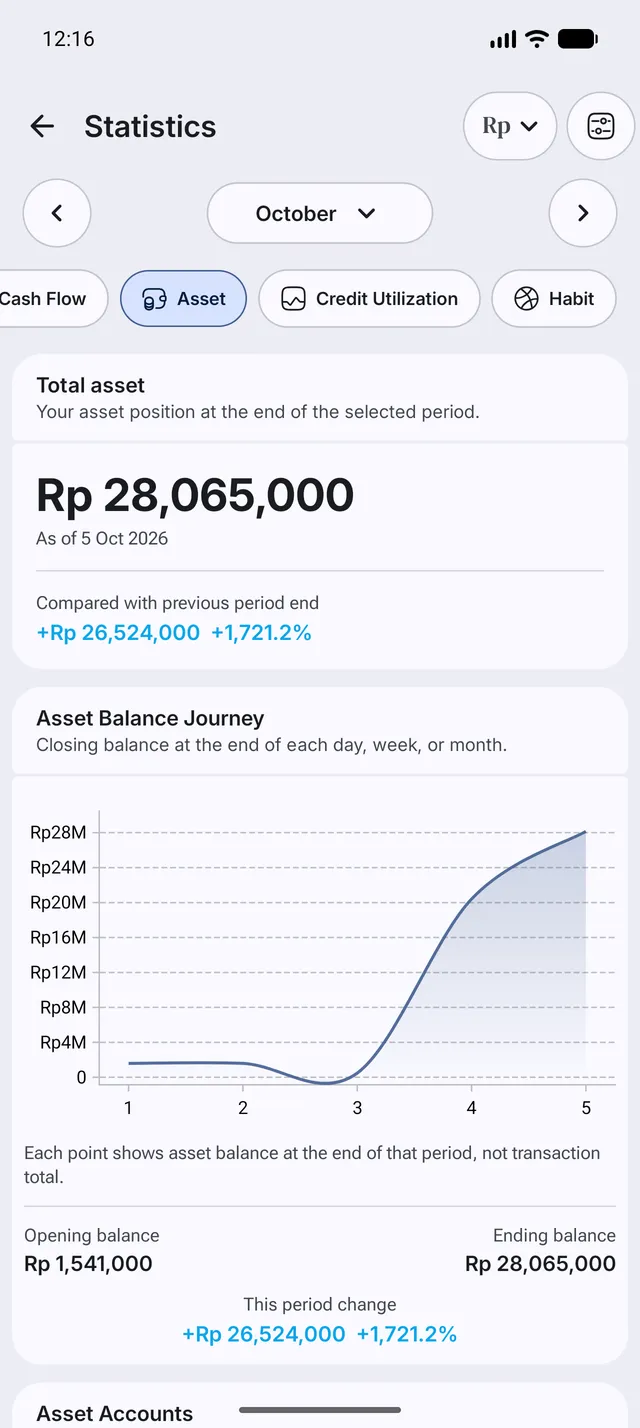
Open the Asset report
In Statistics, select Asset. Asset and Credit Utilization require Harbour Plus. Total asset shows your asset position at the end of the selected period; check the As of date.
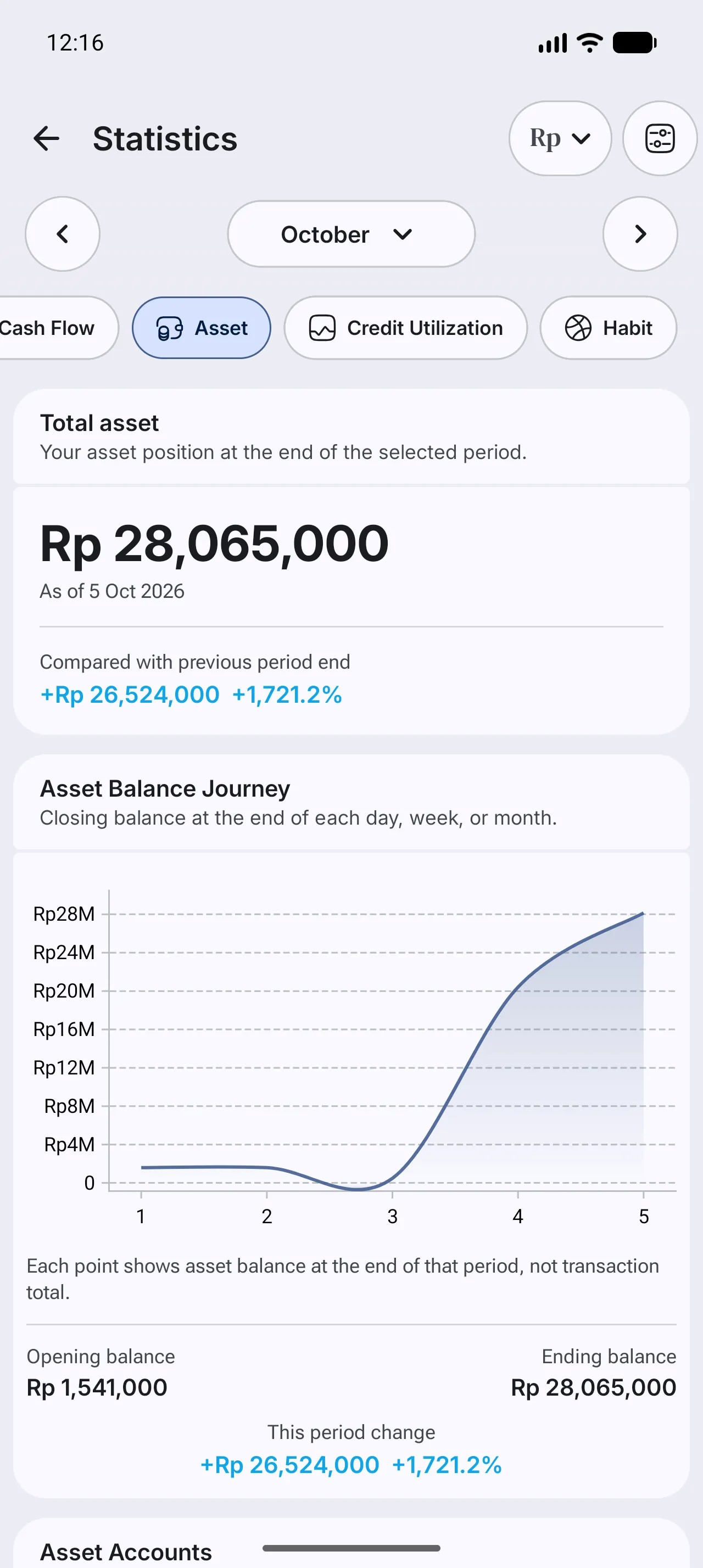
Read the balance journey
Asset Balance Journey plots closing balances, not transaction totals. Review Opening balance, Ending balance and This period change to understand the movement.
Review credit usage
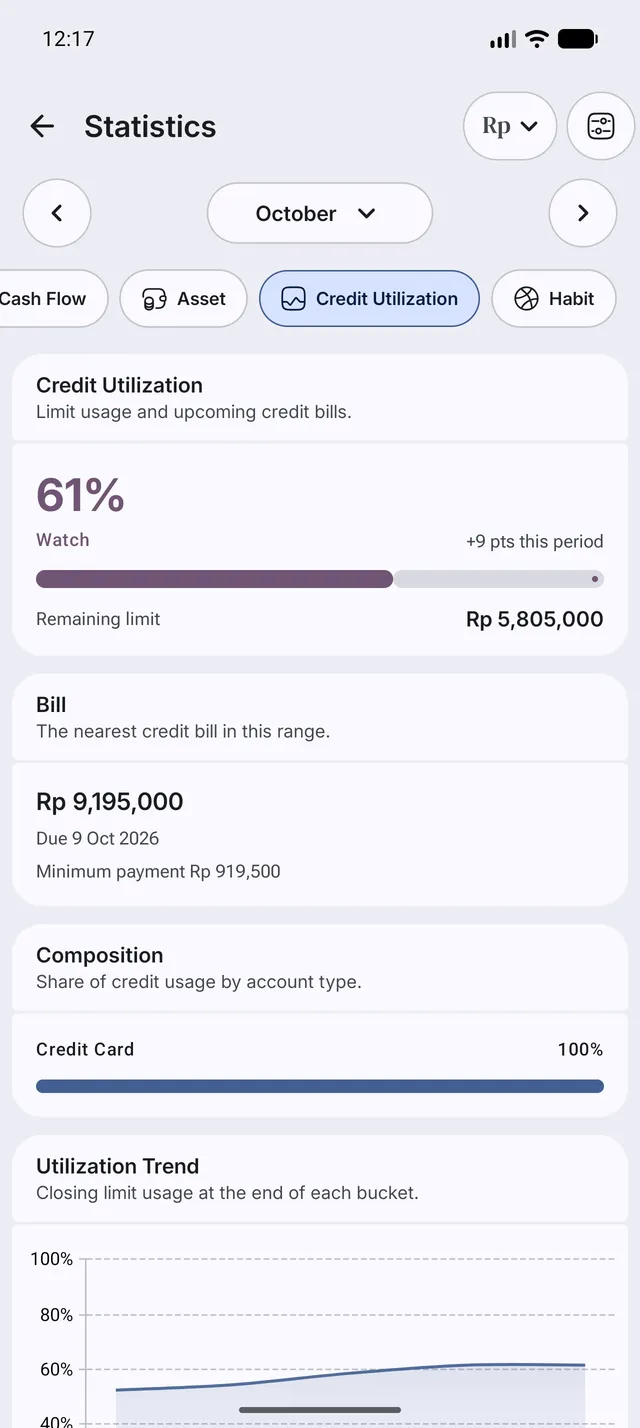
Select Credit Utilization. Review the percentage used and remaining limit. The Bill section shows the nearest credit bill in the range, including its due date and minimum payment when available.
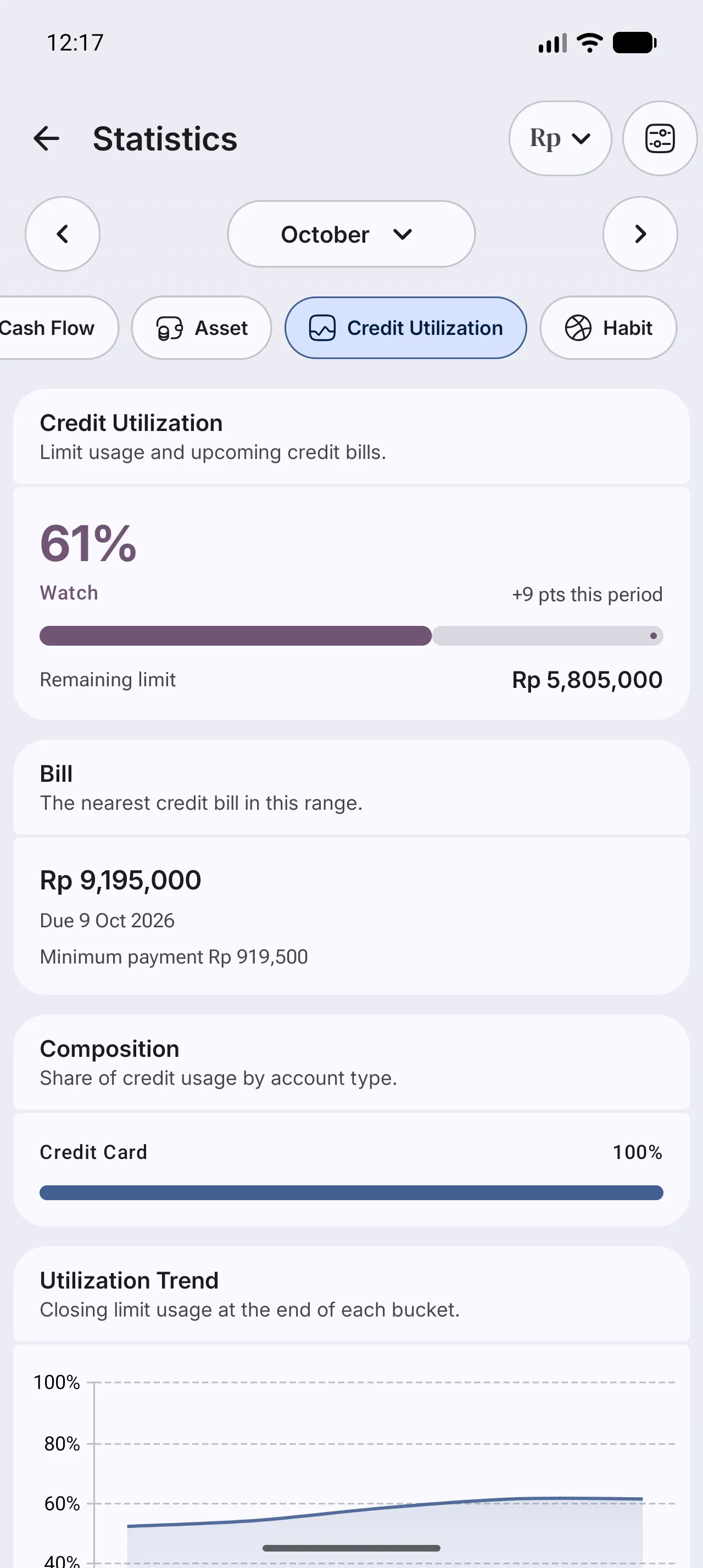
Read the utilization trend
Composition shows usage by account type. Utilization Trend shows closing limit usage over time. These reports describe your Harbour records; they do not make a payment to your provider.