Set up budget alerts.
Get notified as spending approaches your limit.
Enable budget notifications
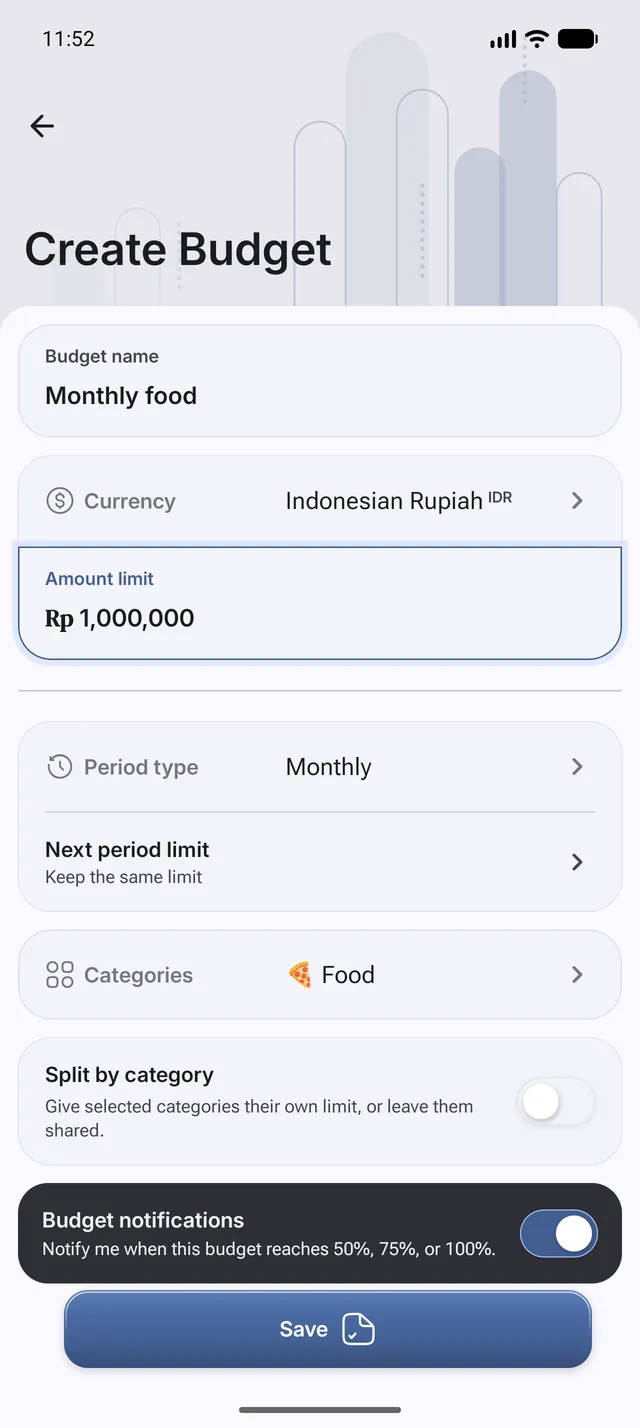
When creating or editing a budget, turn on Budget notifications. Harbour can notify you when spending reaches 50%, 75% or 100% of the limit.
Save the budget
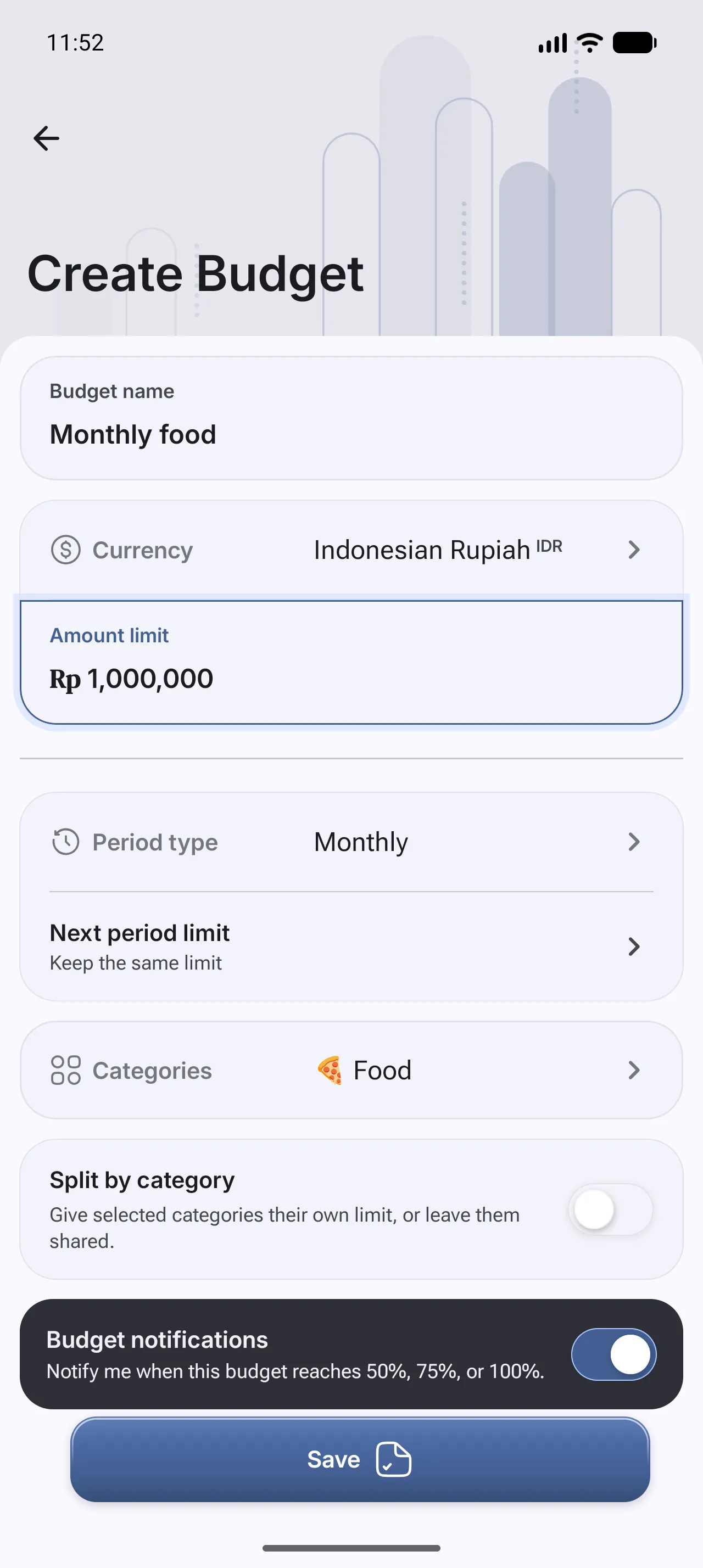
Tap Save to keep your notification setting.
Check reminder settings
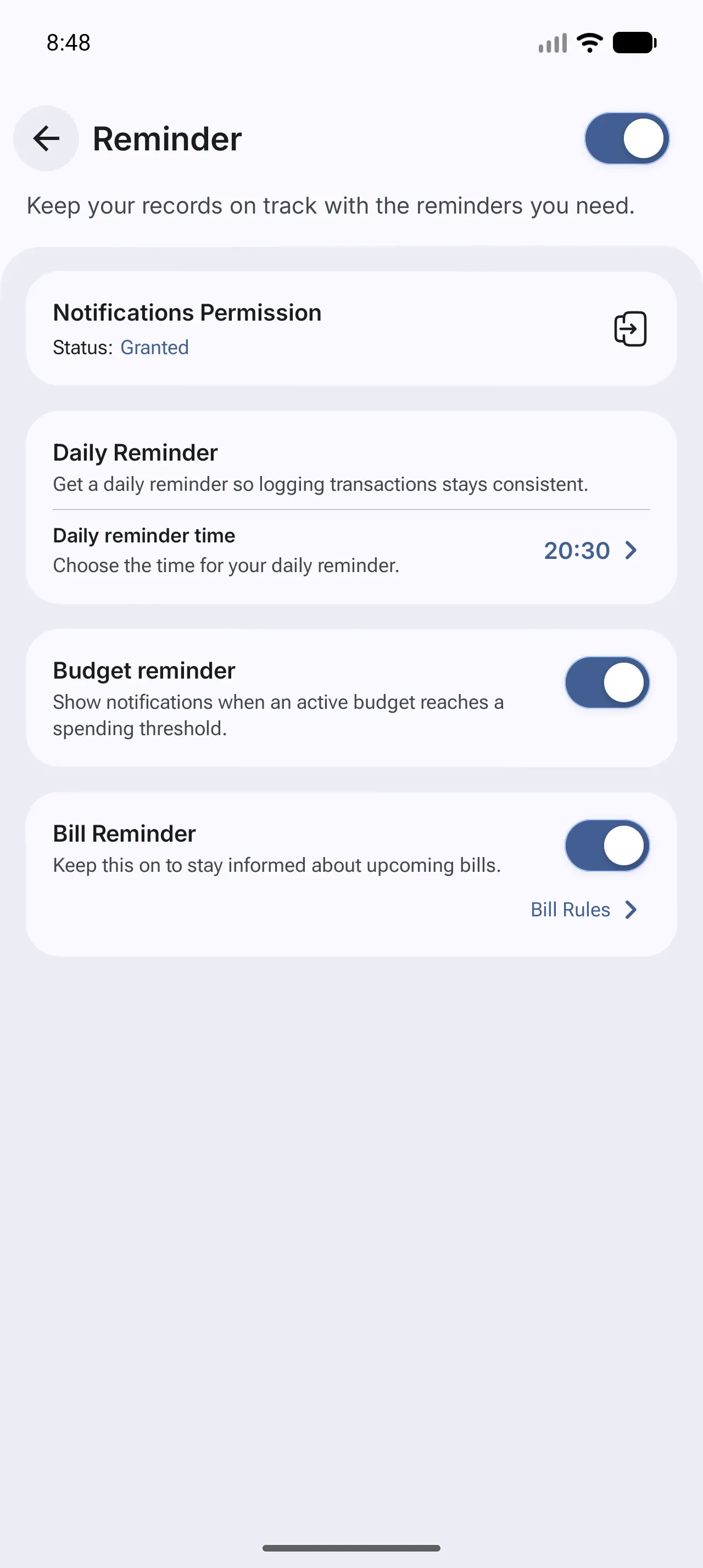
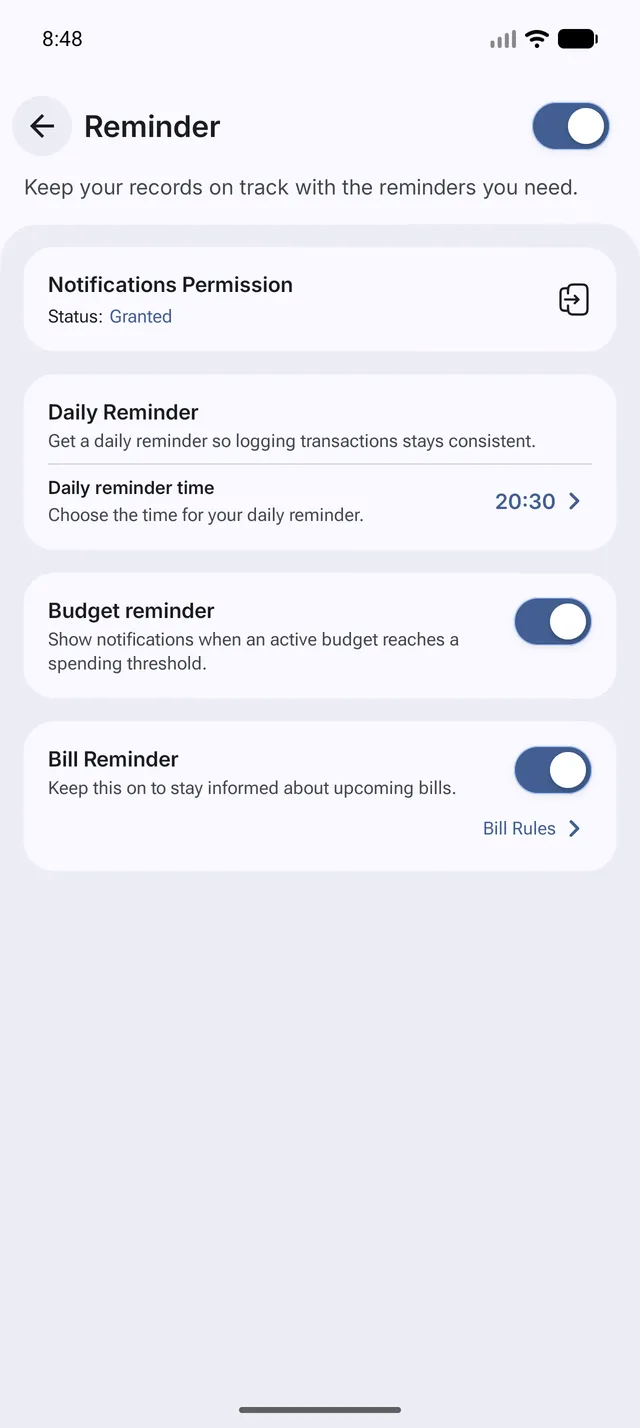
Open Reminder in Settings. Enable the main Reminder switch, check Notifications Permission and keep Budget reminder enabled.