Create a budget.
Set a spending limit for selected categories.
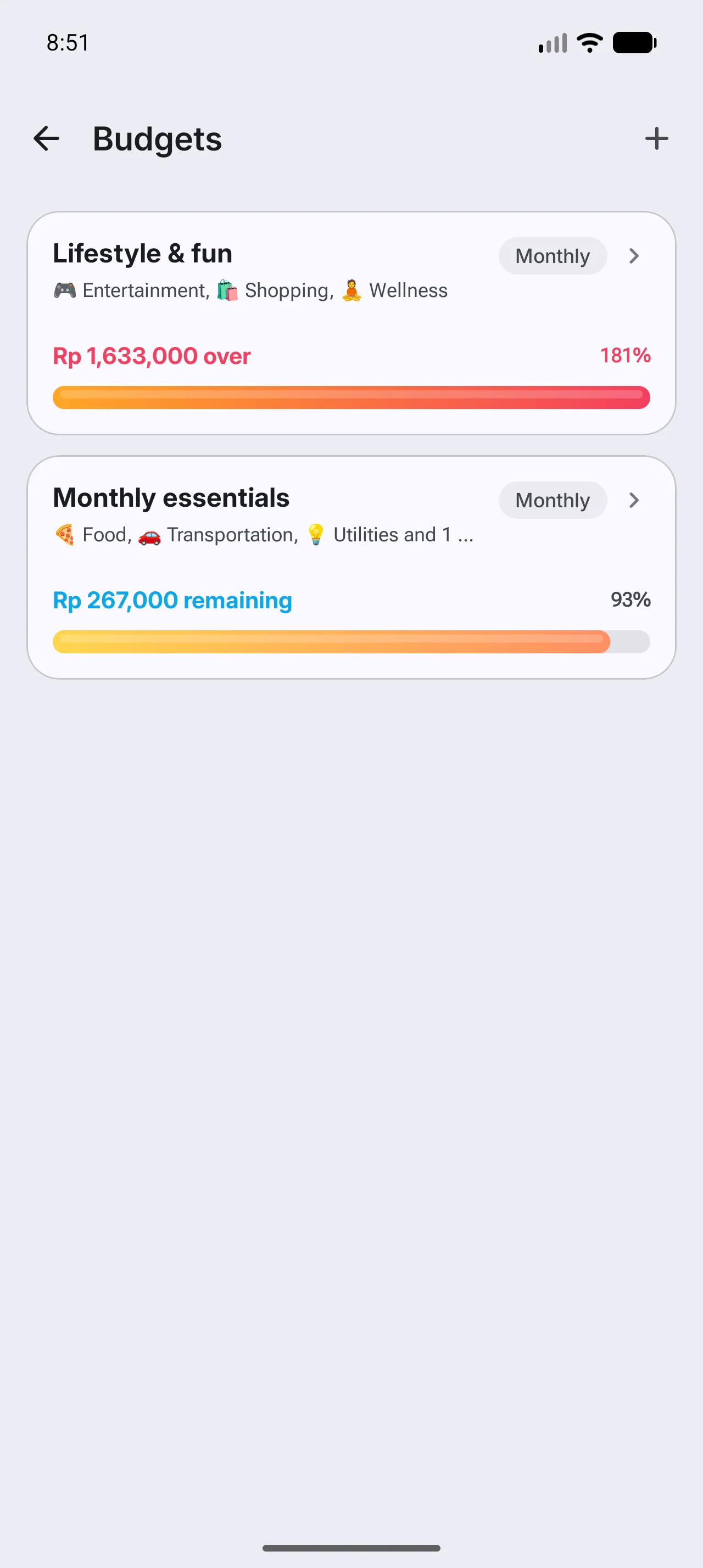
Open Create Budget
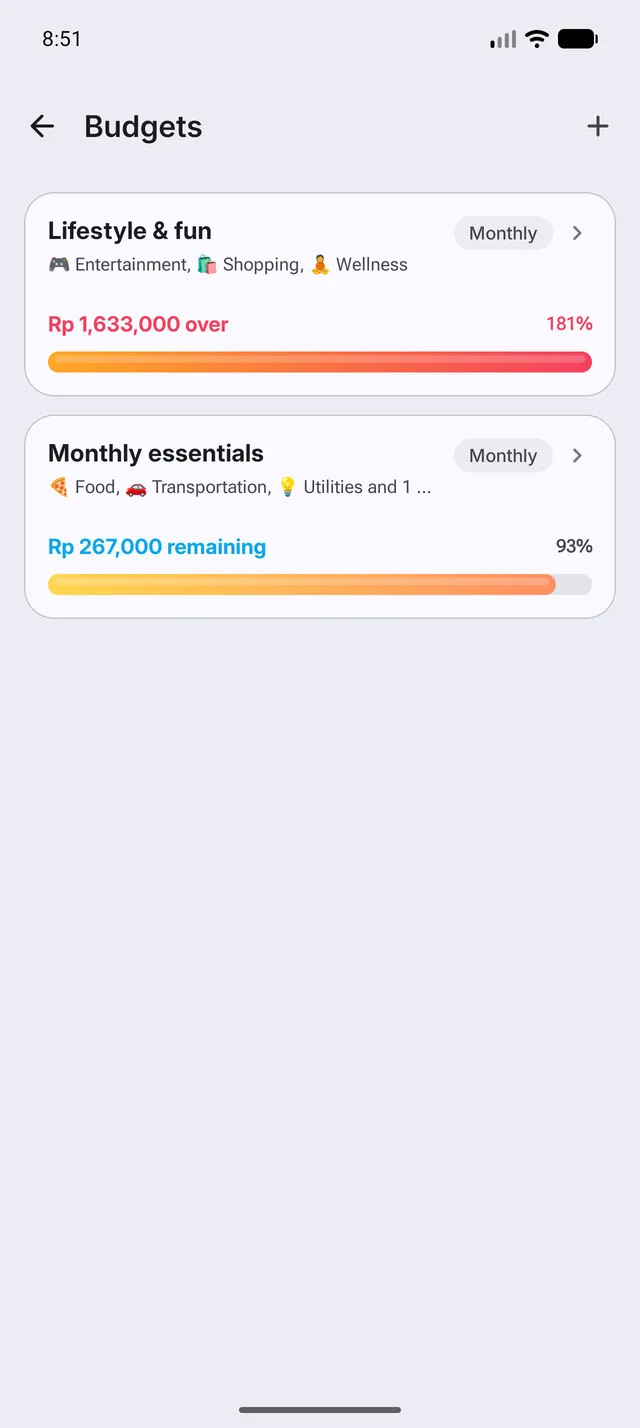
On Home, tap Budgets, then tap the plus button. You can also open Settings, expand Finance Library with Show 3 more, and tap Manage Budgets.
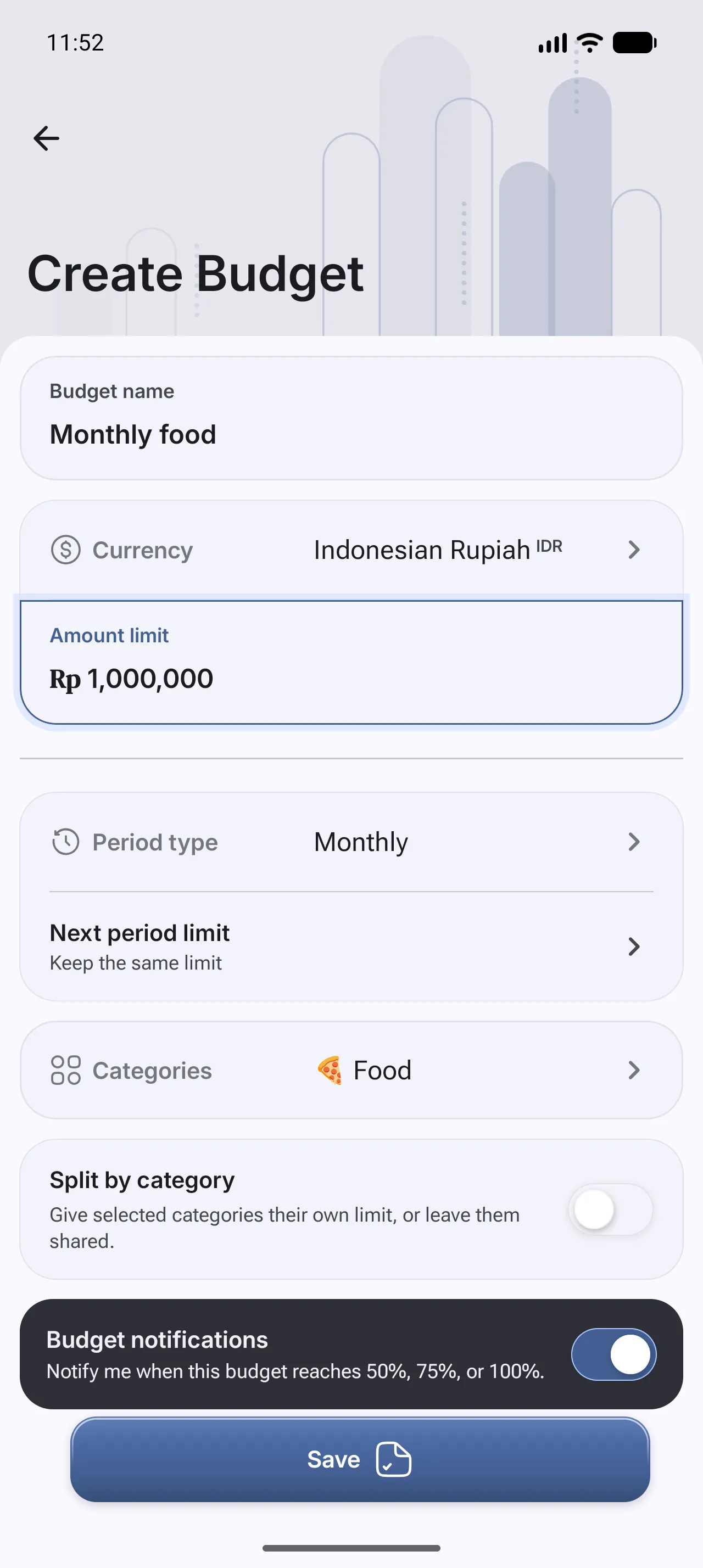
Set a name and limit
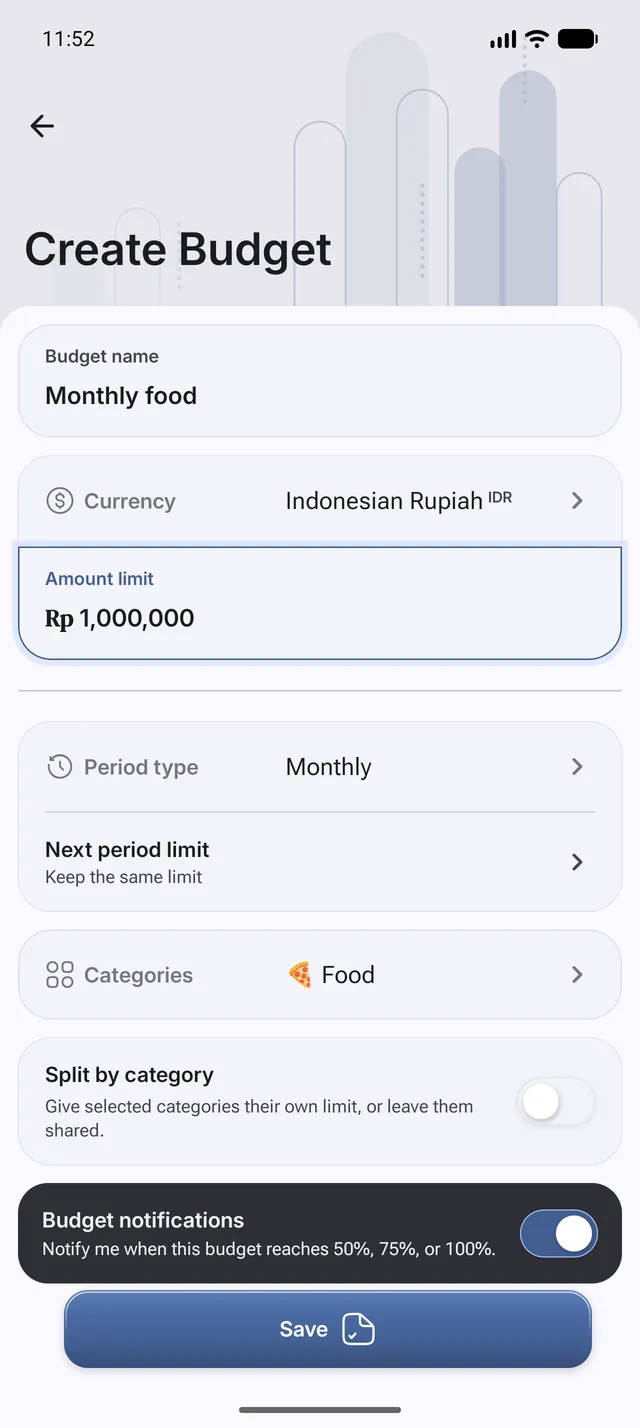
Enter a budget name, choose its currency and enter an amount greater than zero. Here, Monthly food has a limit of Rp 1,000,000.
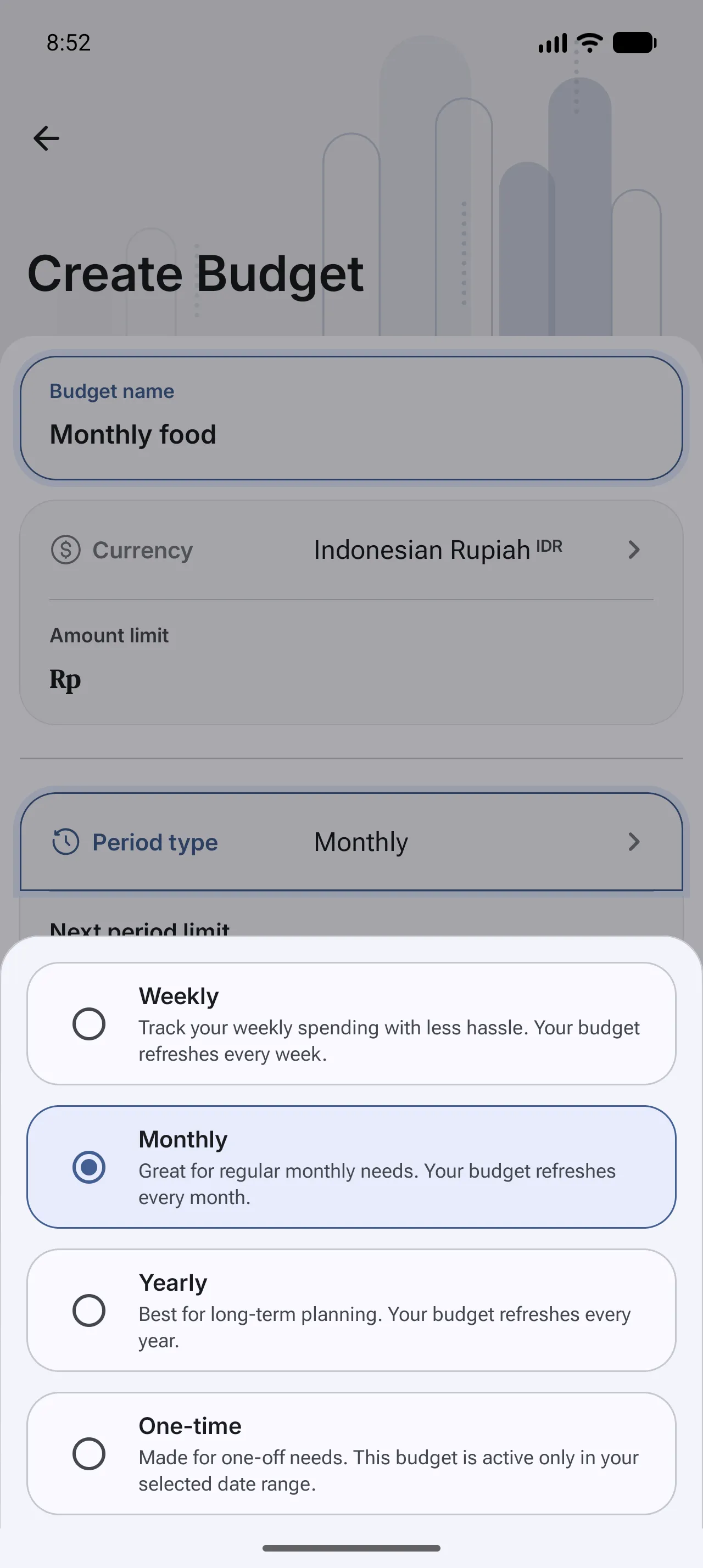
Choose the period
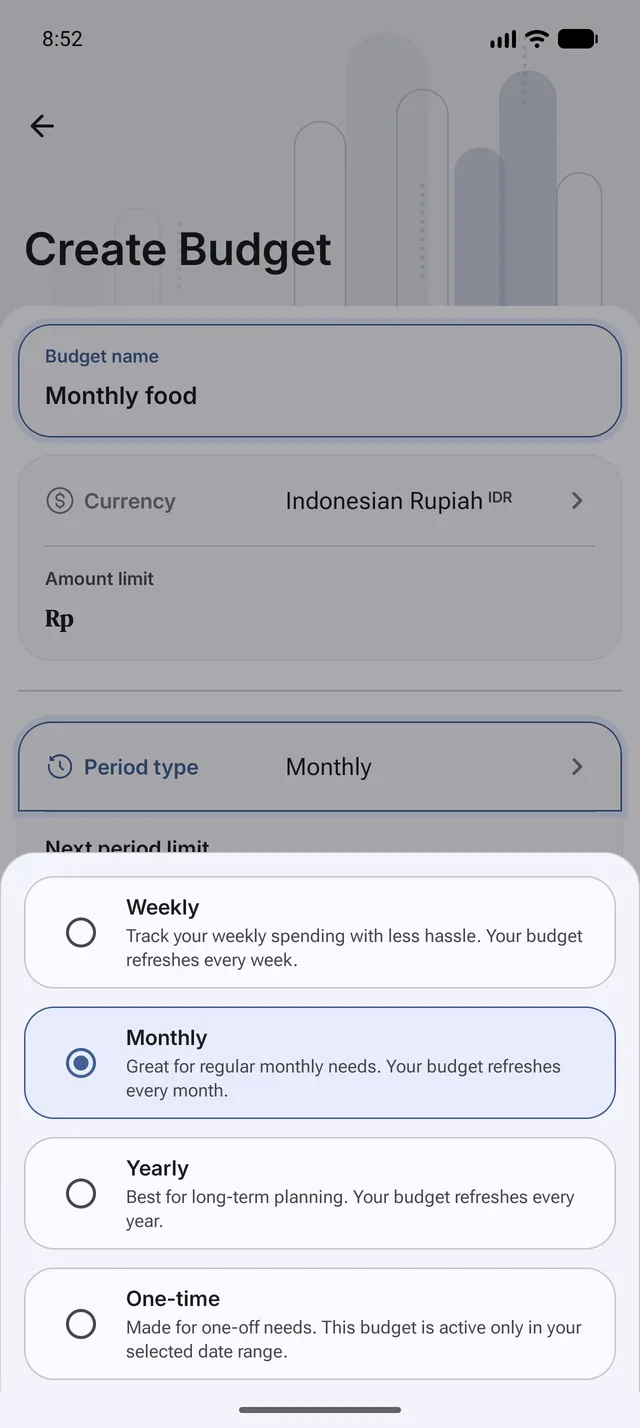
Tap Period type. Choose Weekly, Monthly, Yearly or One-time. For a one-time budget, set its start and end dates.
Select expense categories
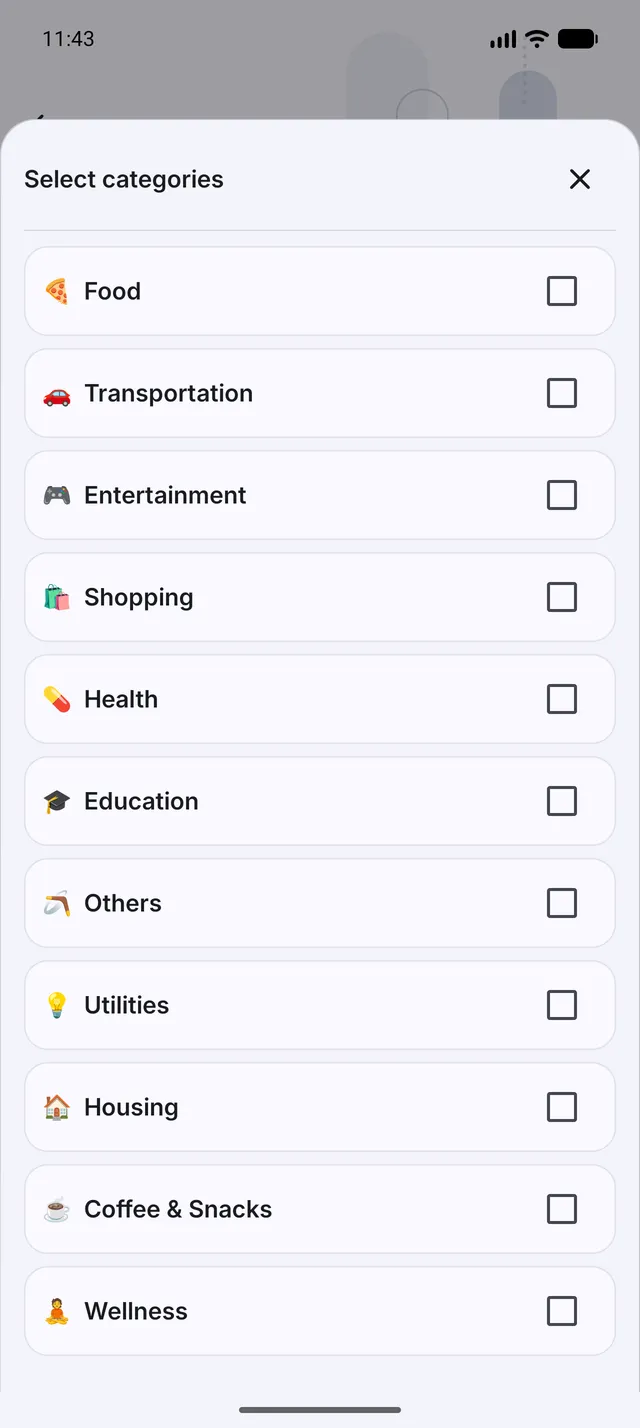
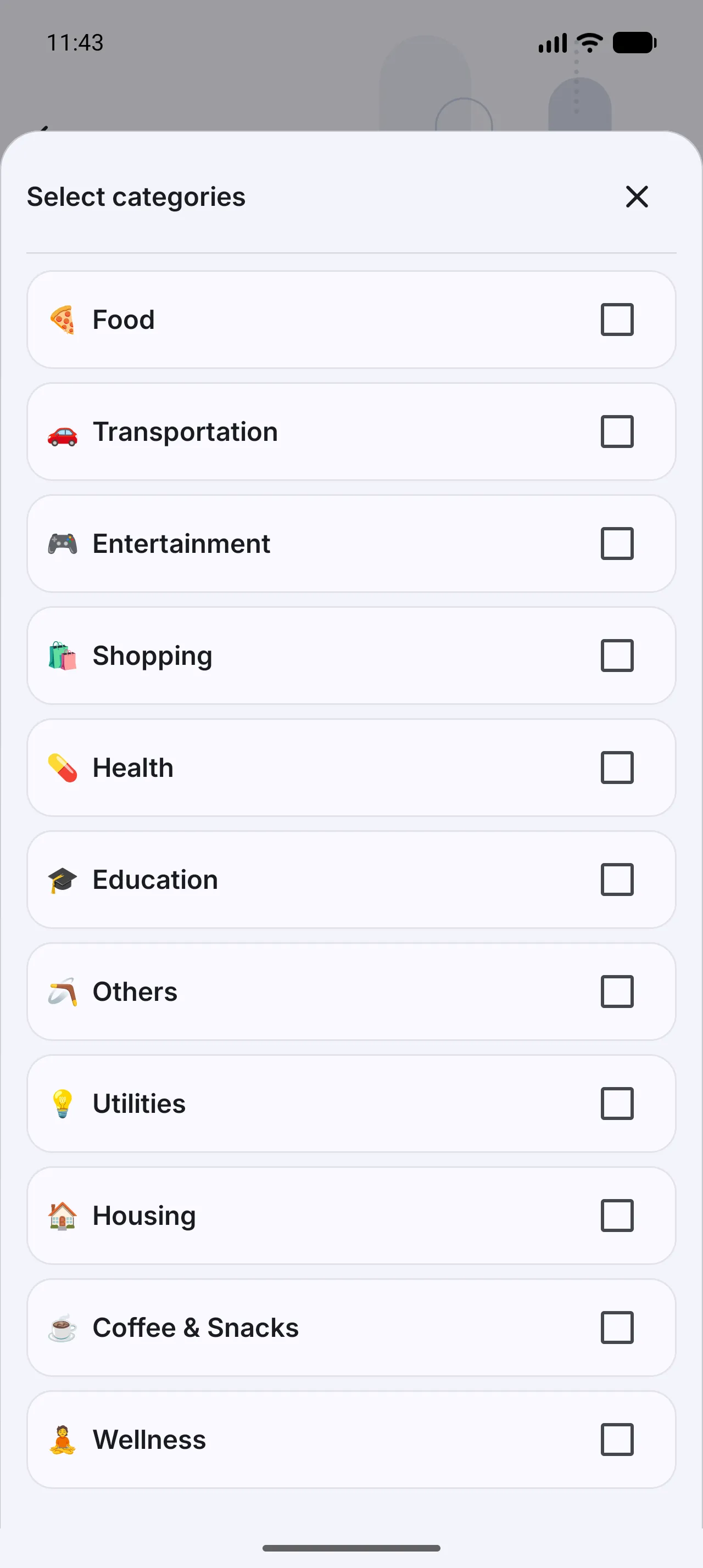
Tap Categories and select the expenses this budget should track. Select at least one category. Split by category lets you assign individual limits instead of sharing the total.
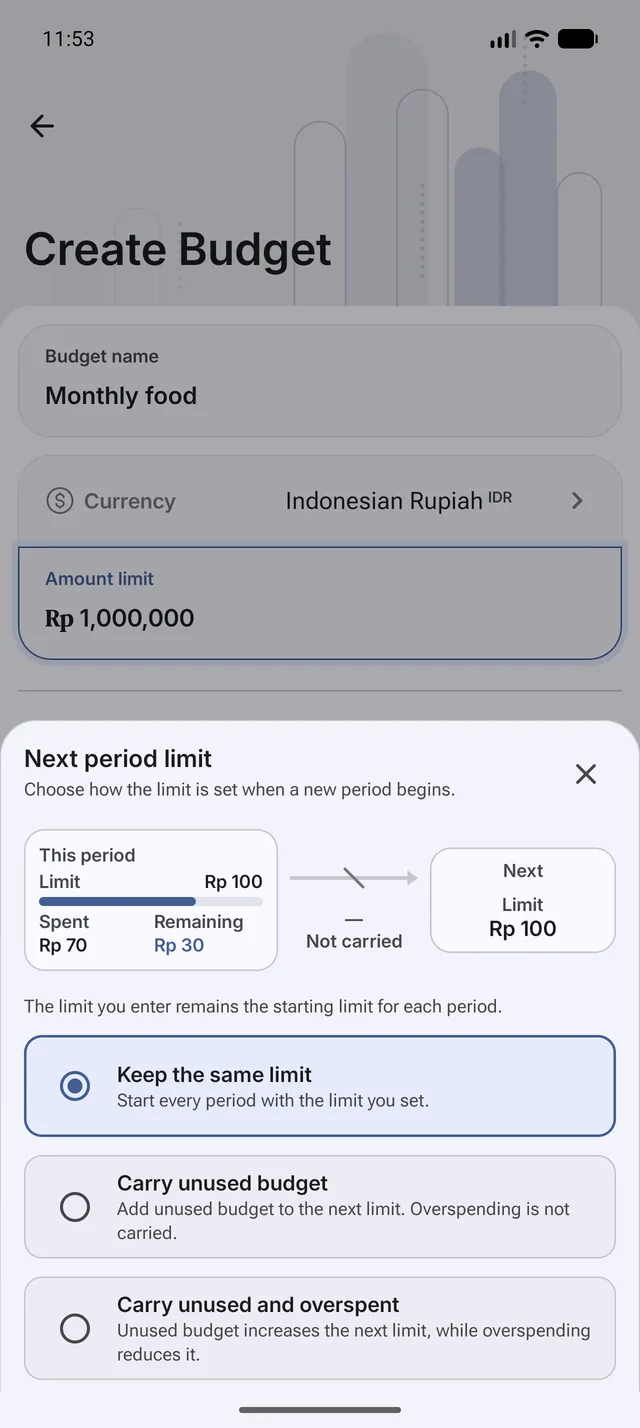
Review the next period
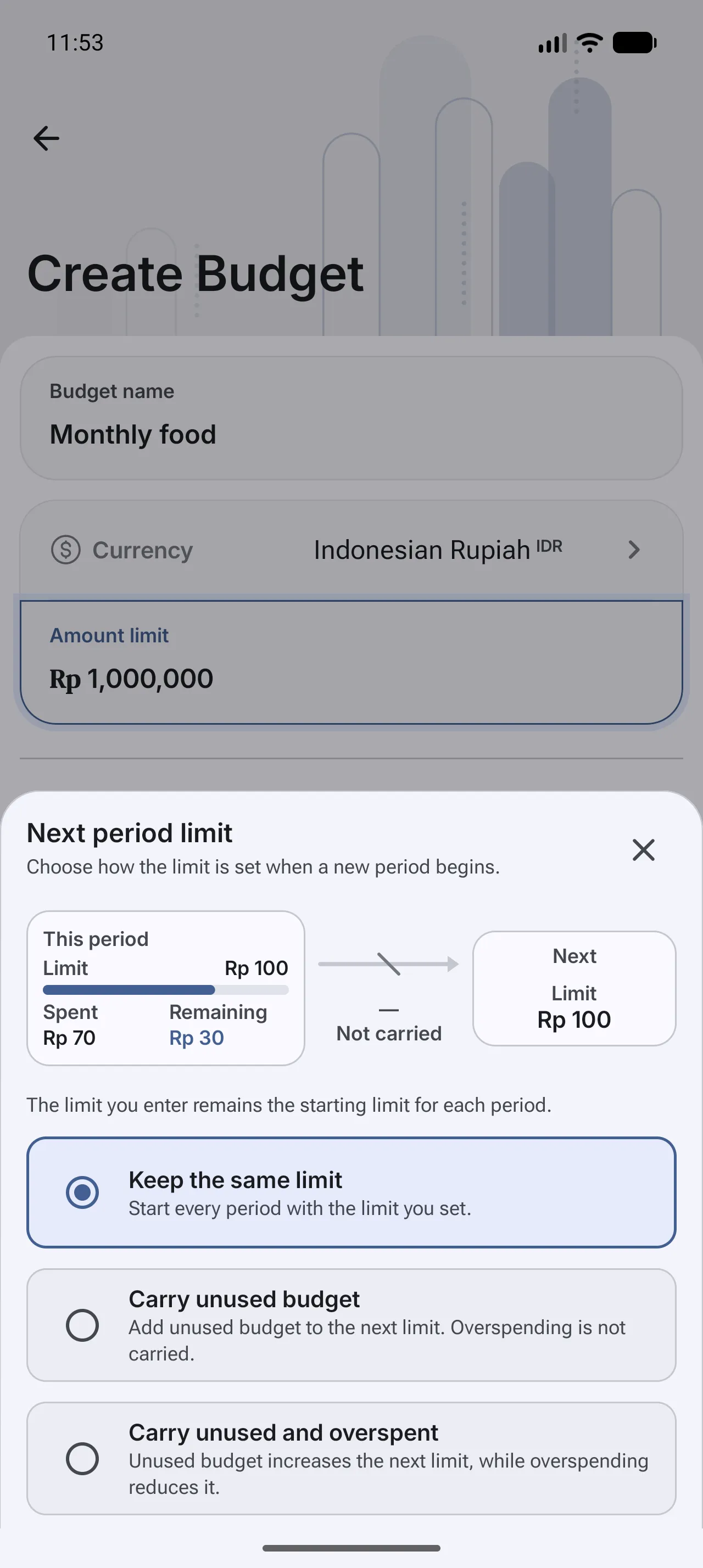
For a repeating budget, Next period limit controls what happens when a new period begins. Keep the same limit starts each period with your original limit. The carry options adjust the next limit using the previous period’s remaining or overspent amount.
Save your budget
Leave Budget notifications on if you want alerts at 50%, 75% and 100%. Review your settings, then tap Save.