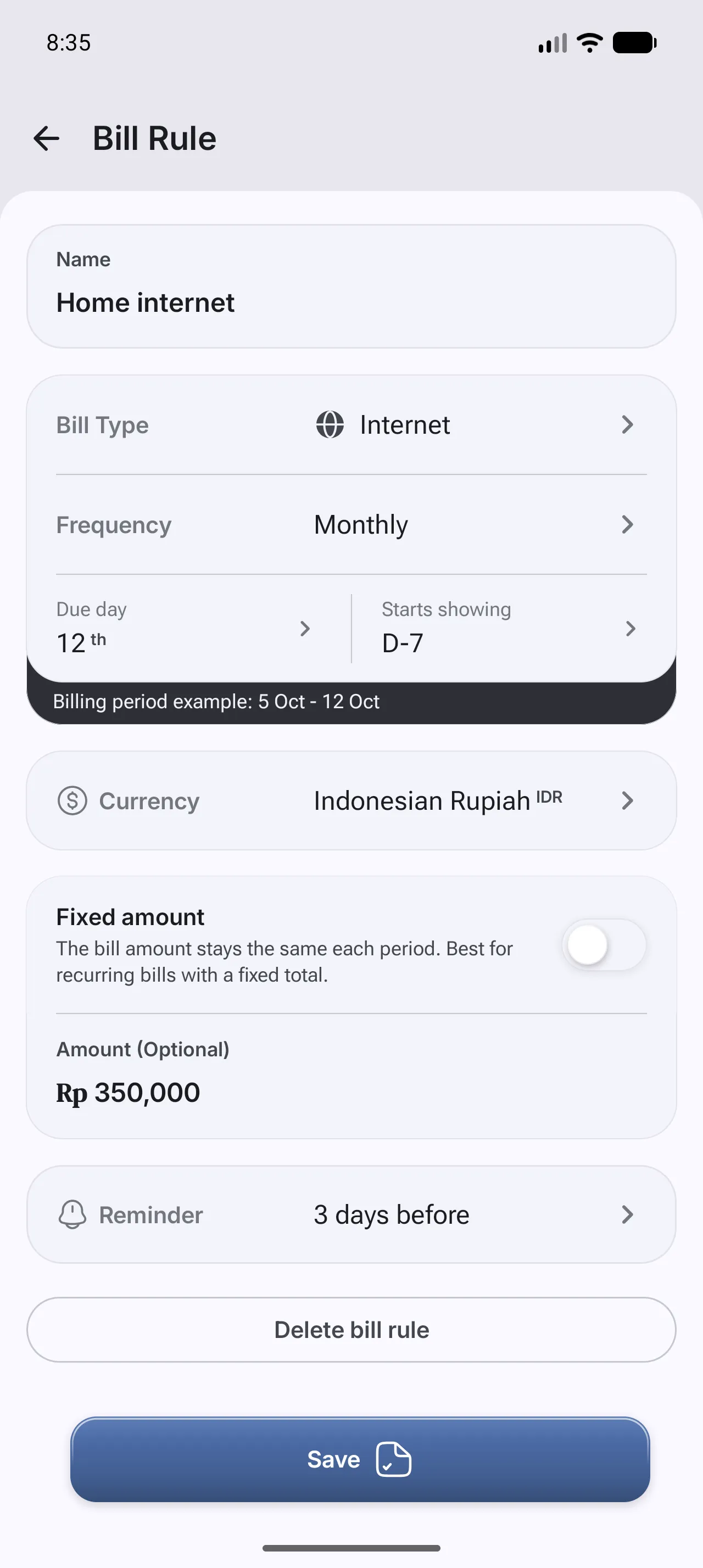
Set up bill reminders.
Choose when Harbour reminds you about a due bill.
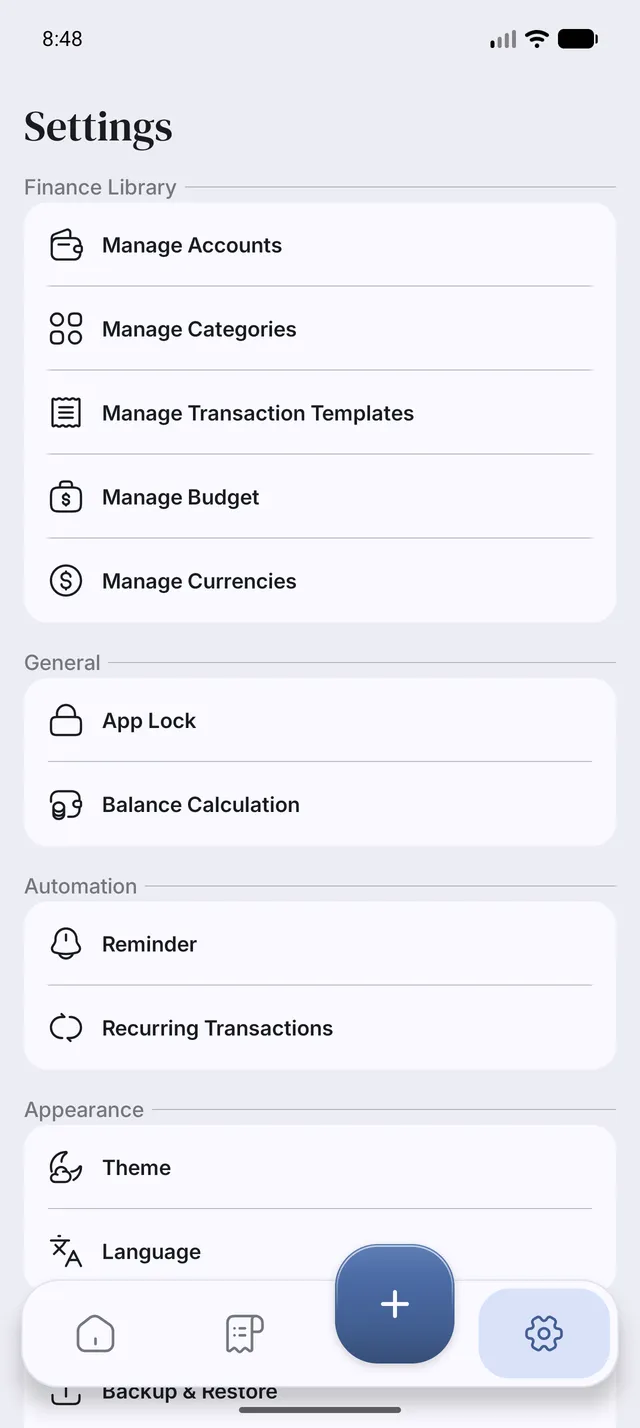
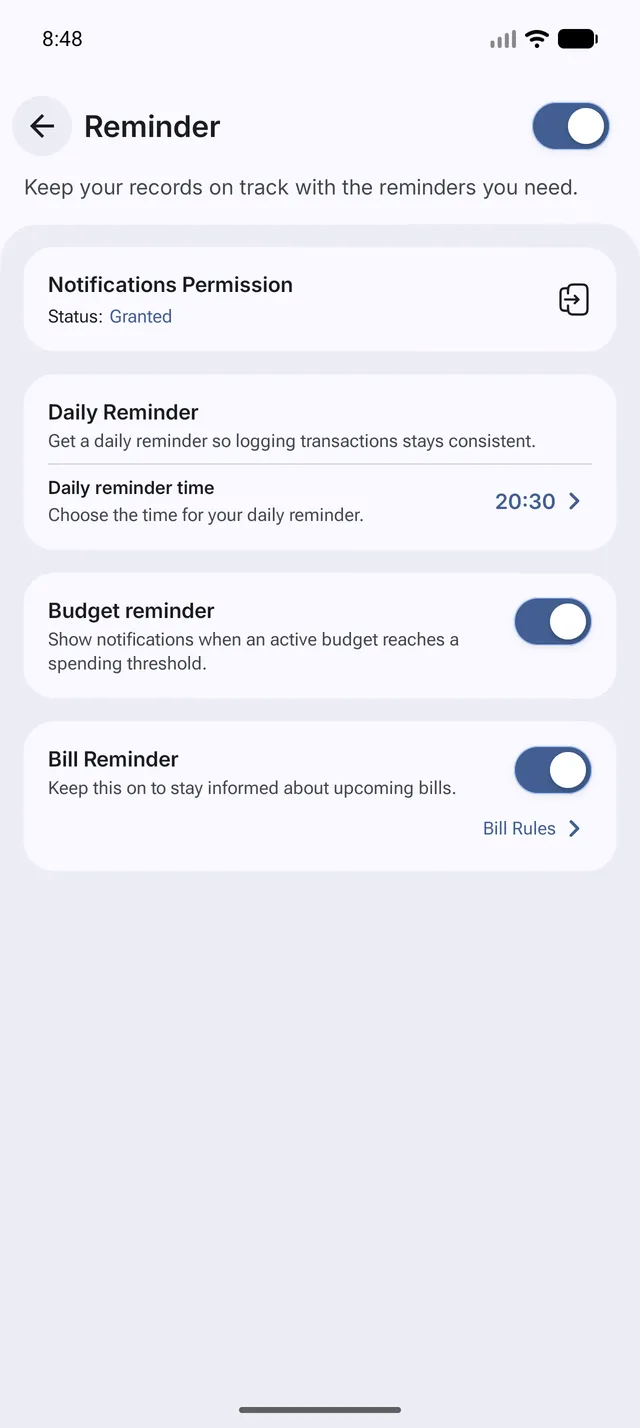
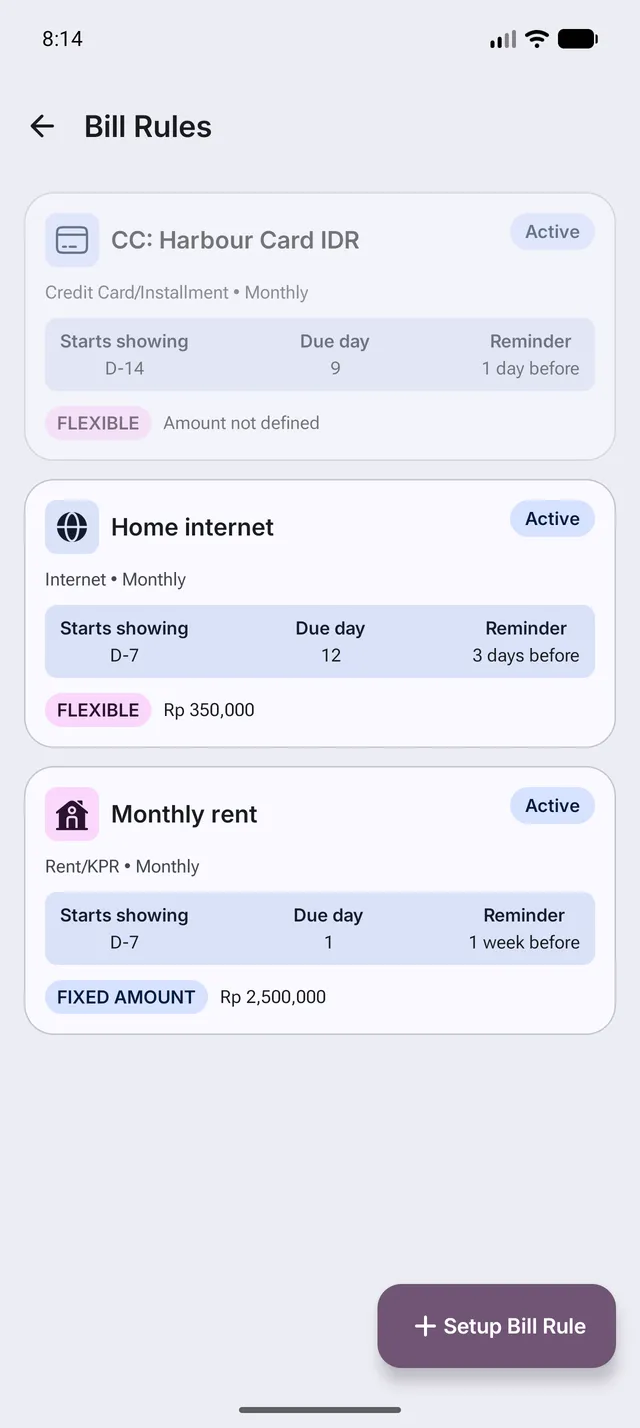
Open Reminder settings
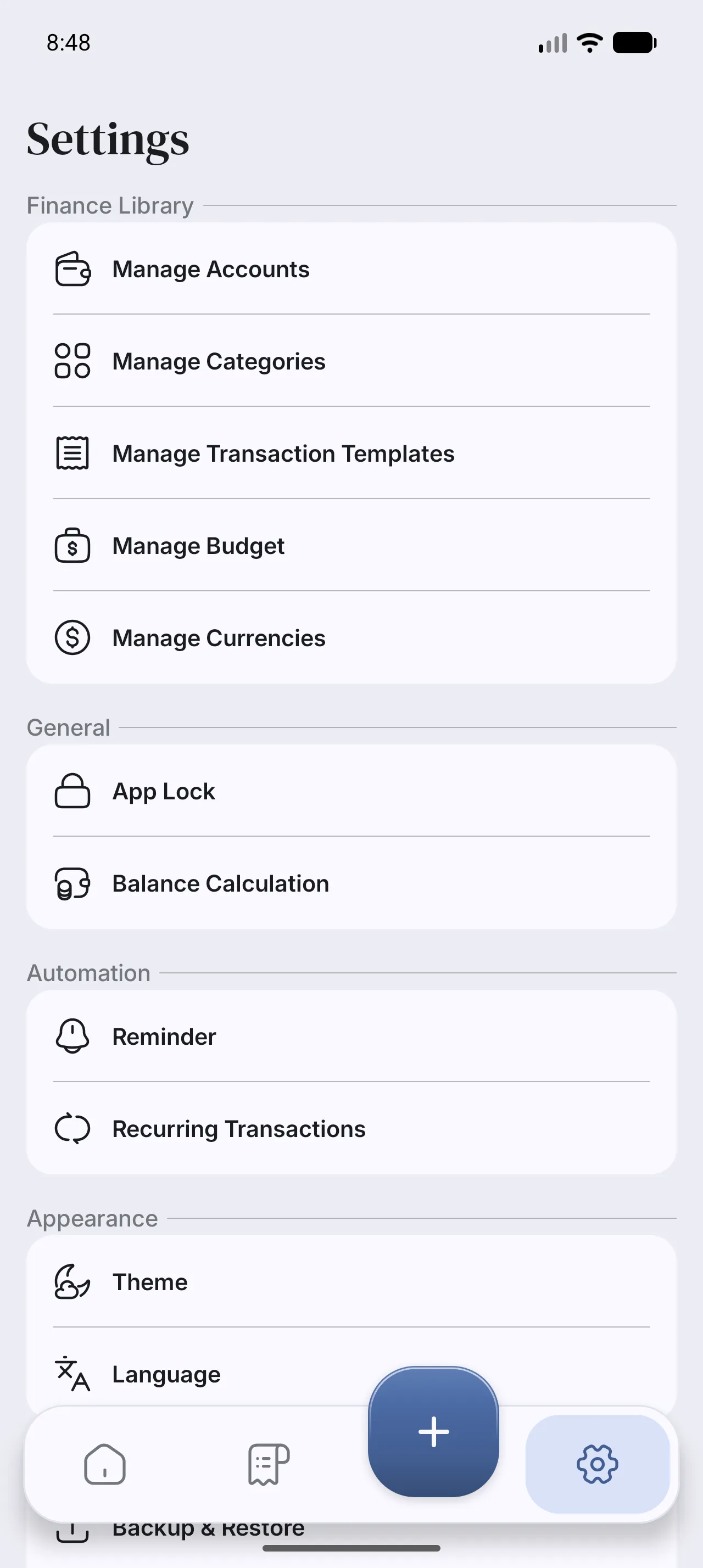
In Settings, tap Reminder under Automation.
Enable reminders
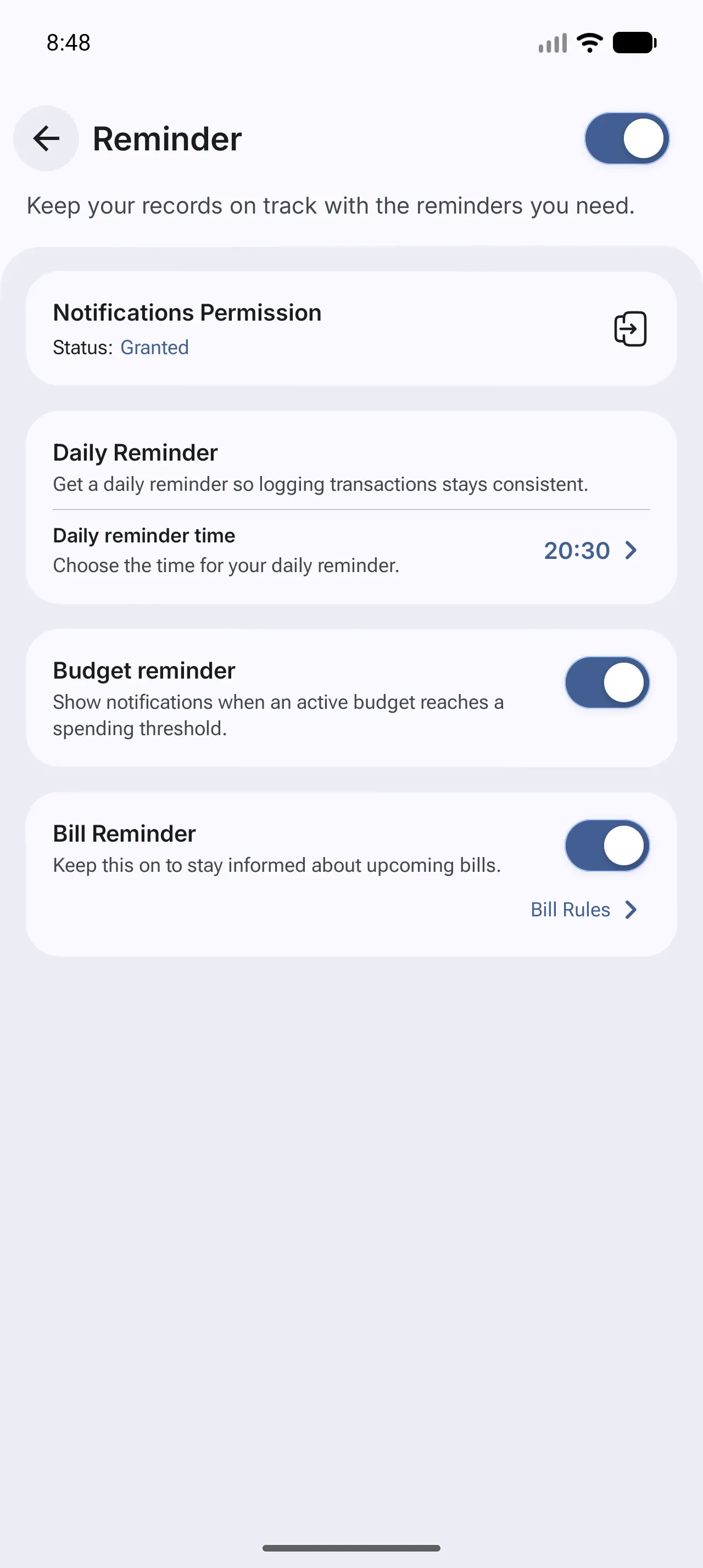
Turn on the switch at the top of Reminder. Check Notifications Permission and allow notifications if requested. Keep Bill Reminder on.
Choose a bill rule
Tap Bill Rules below Bill Reminder, then select the rule you want to configure.
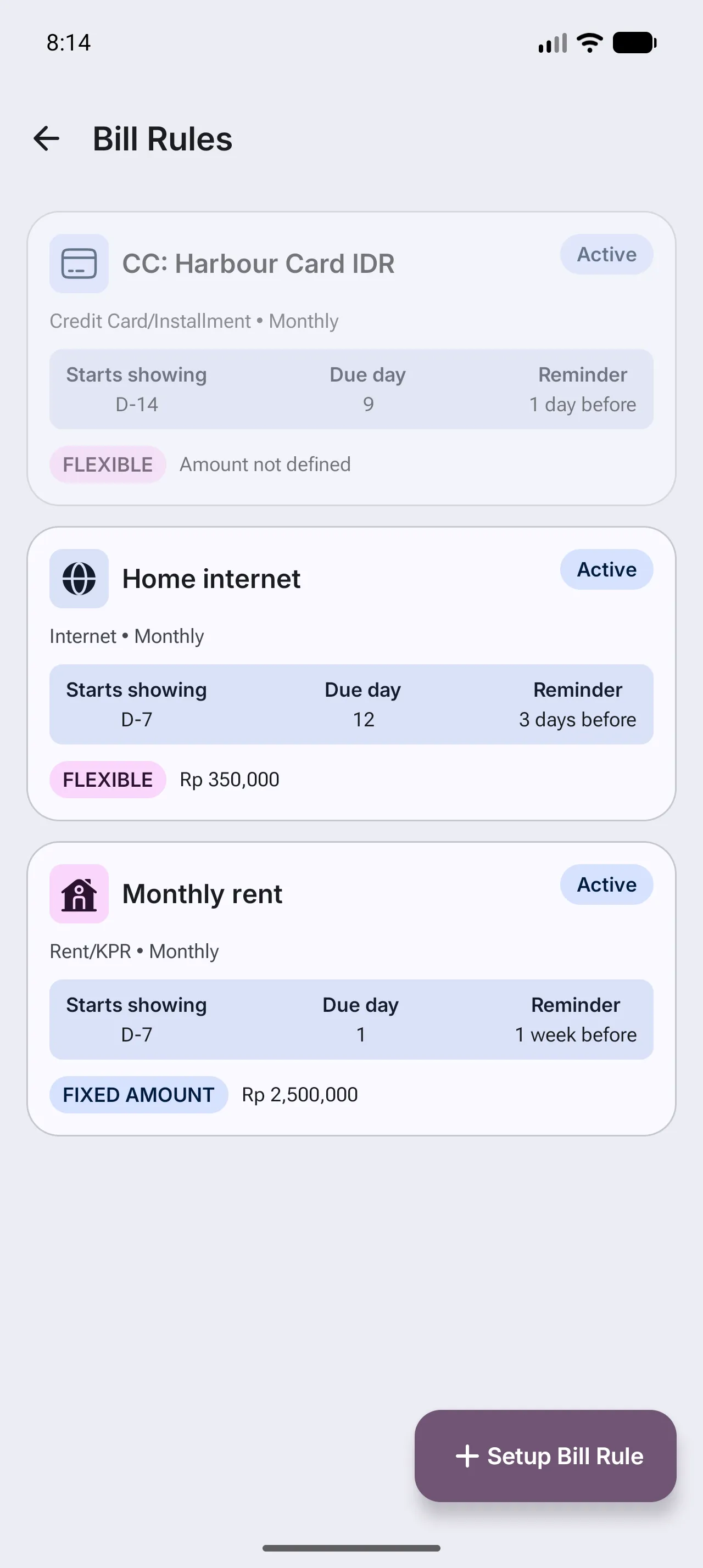
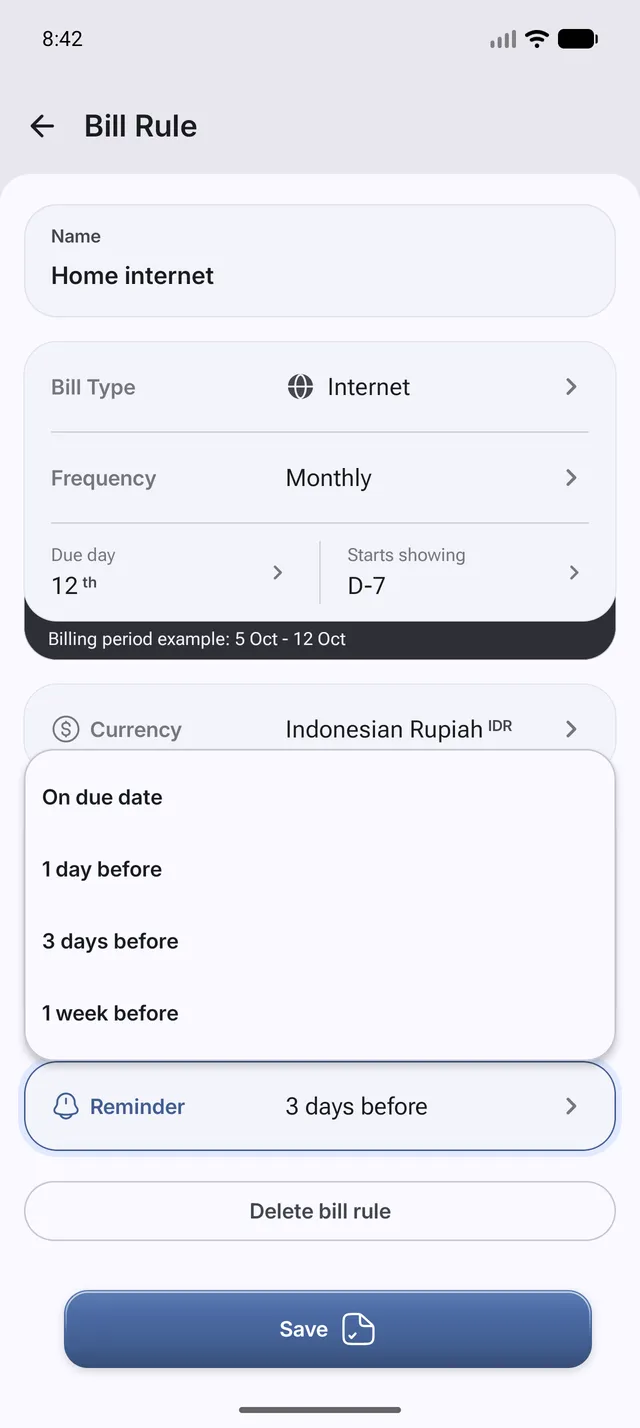
Choose the timing
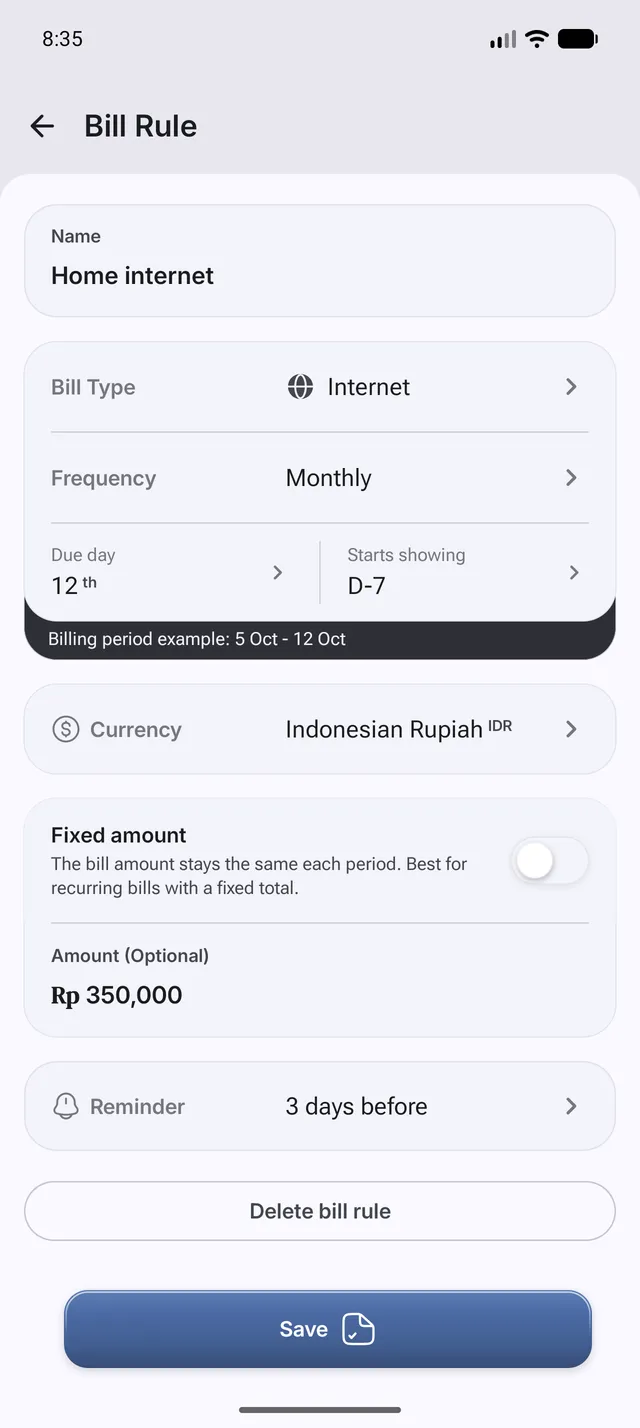
Tap Reminder in the rule. Select the due date or an earlier reminder. Available choices depend on Starts showing: the reminder cannot be earlier than the period opens.
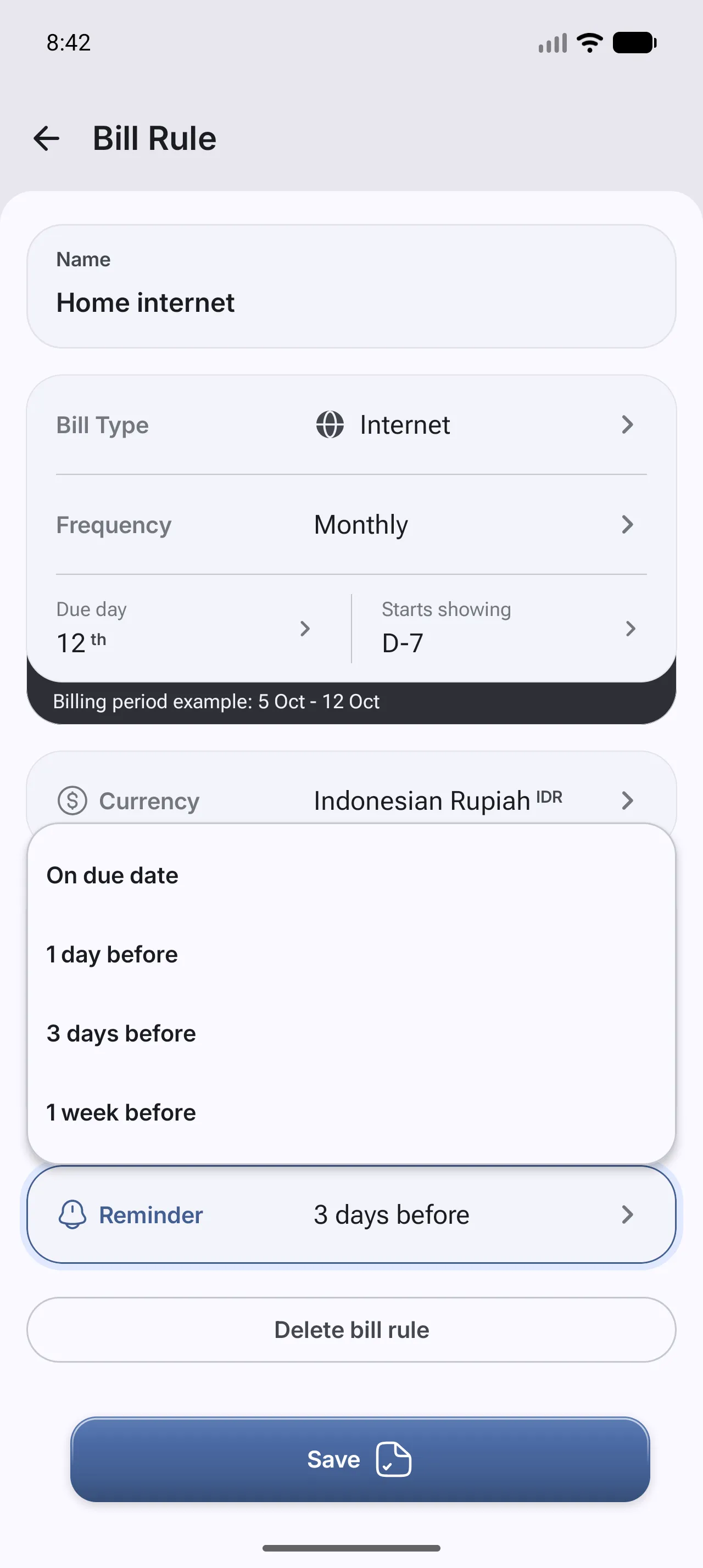
Save the rule
Tap Save to keep the timing. Both the main Reminder switch and Bill Reminder must stay enabled for bill notifications.