Edit or delete a bill rule.
Update a rule or remove it when you no longer need it.
Choose a rule
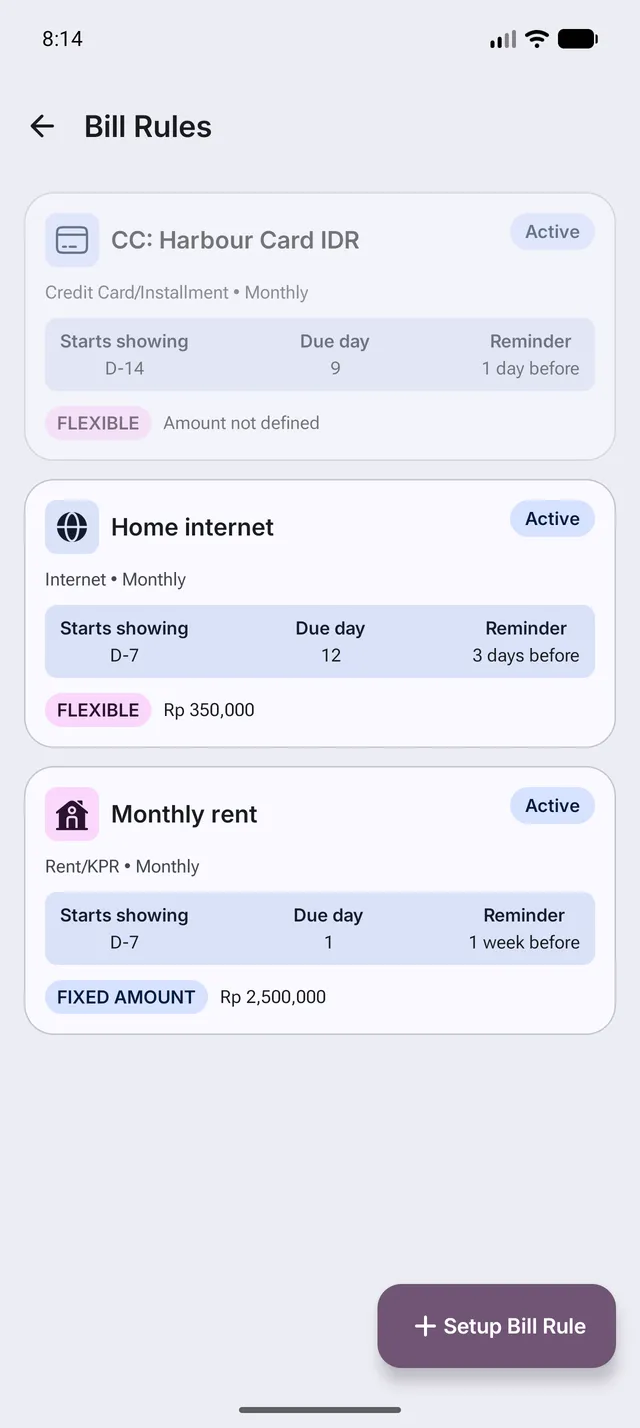
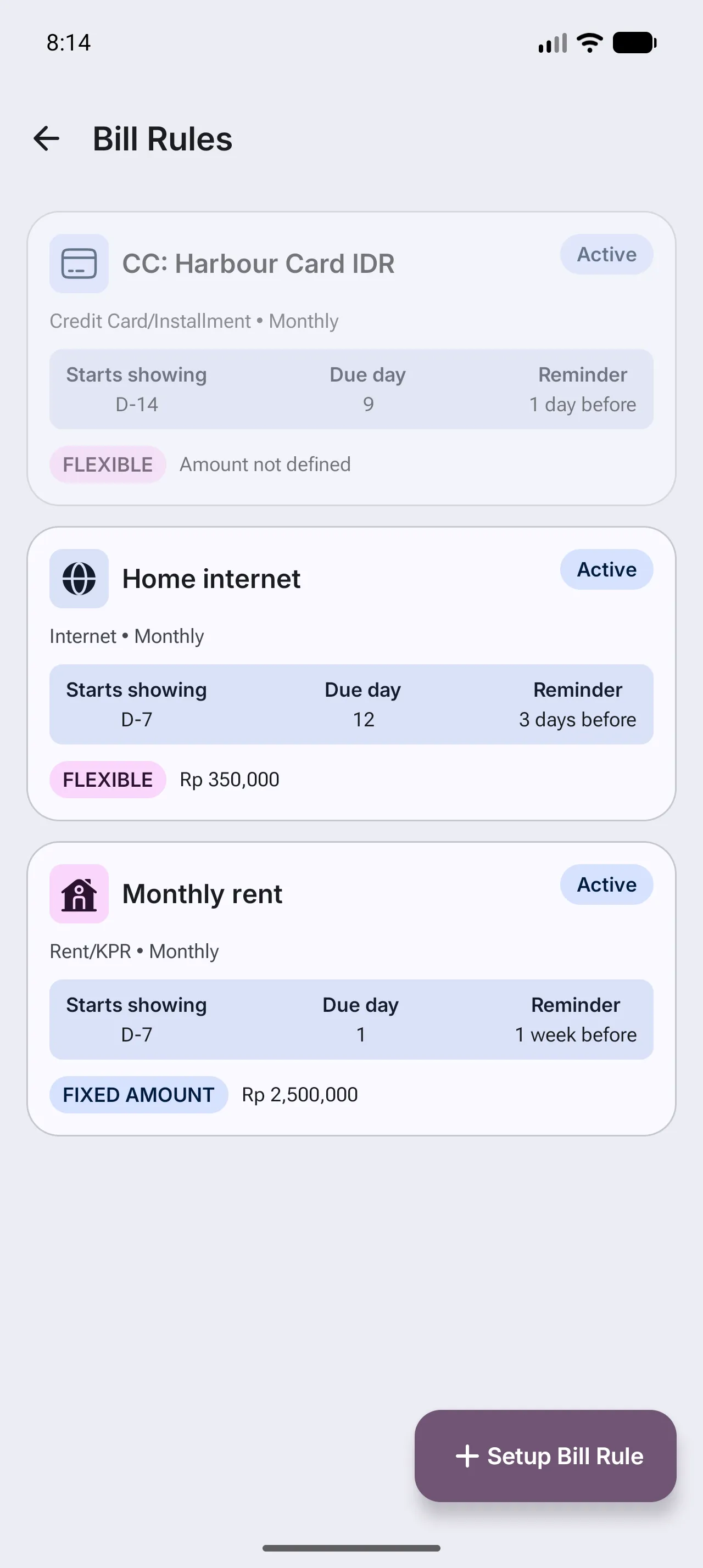
Open Bills, then Bill Rules. Tap the rule you want to update.
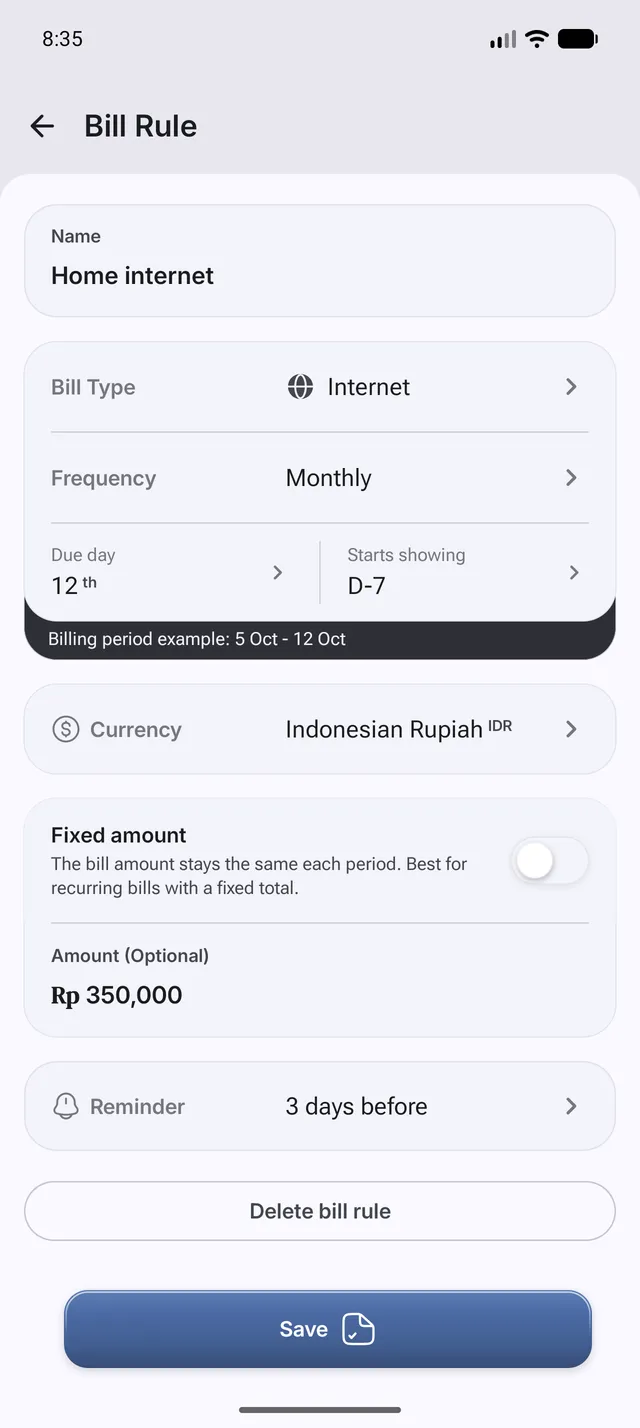
Update the details
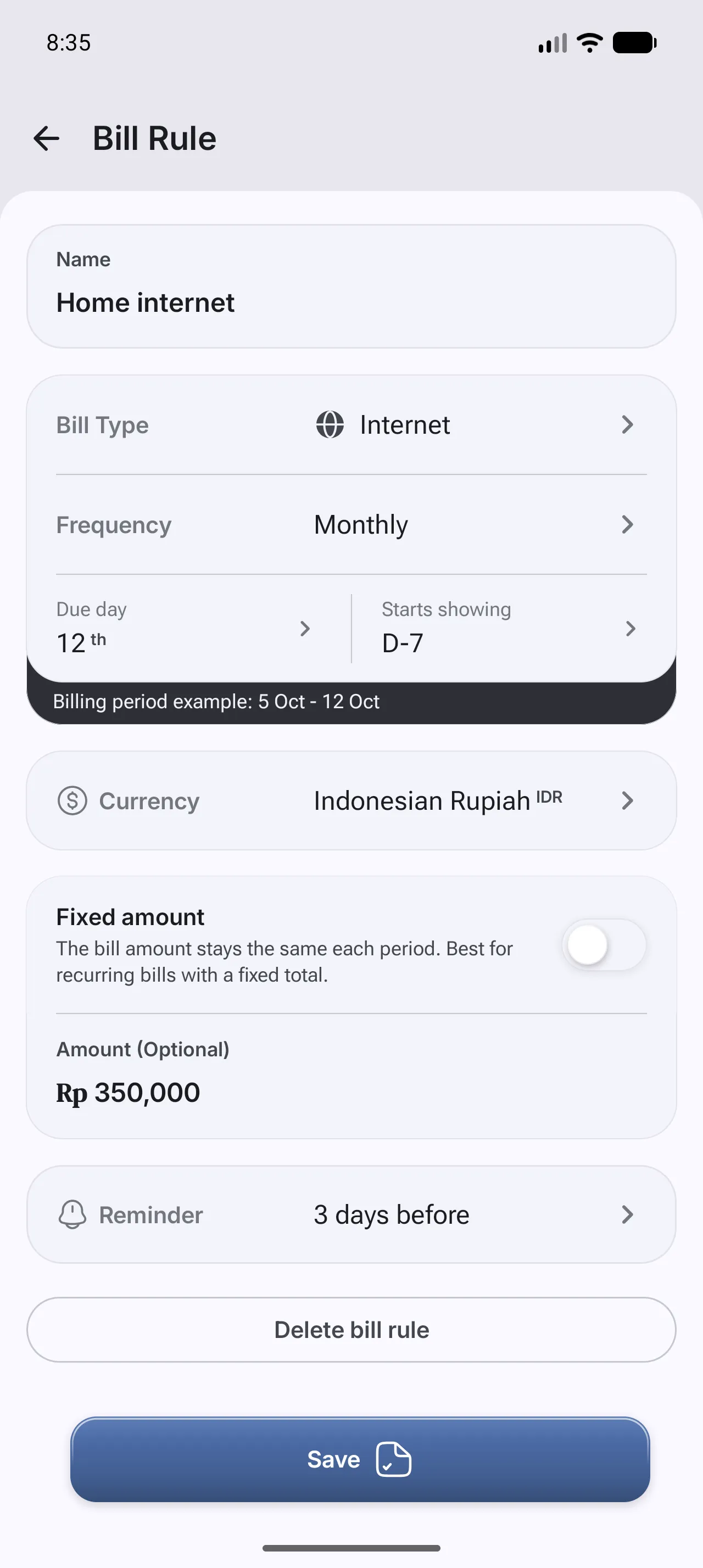
Edit the name, schedule, amount or reminder. Automatically generated credit card and loan rules use the linked account for core details; only their reminder settings can be edited here.
Save your changes
Check your changes, then tap Save.
To remove a rule
Tap Delete bill rule. This option is available for rules you created manually.
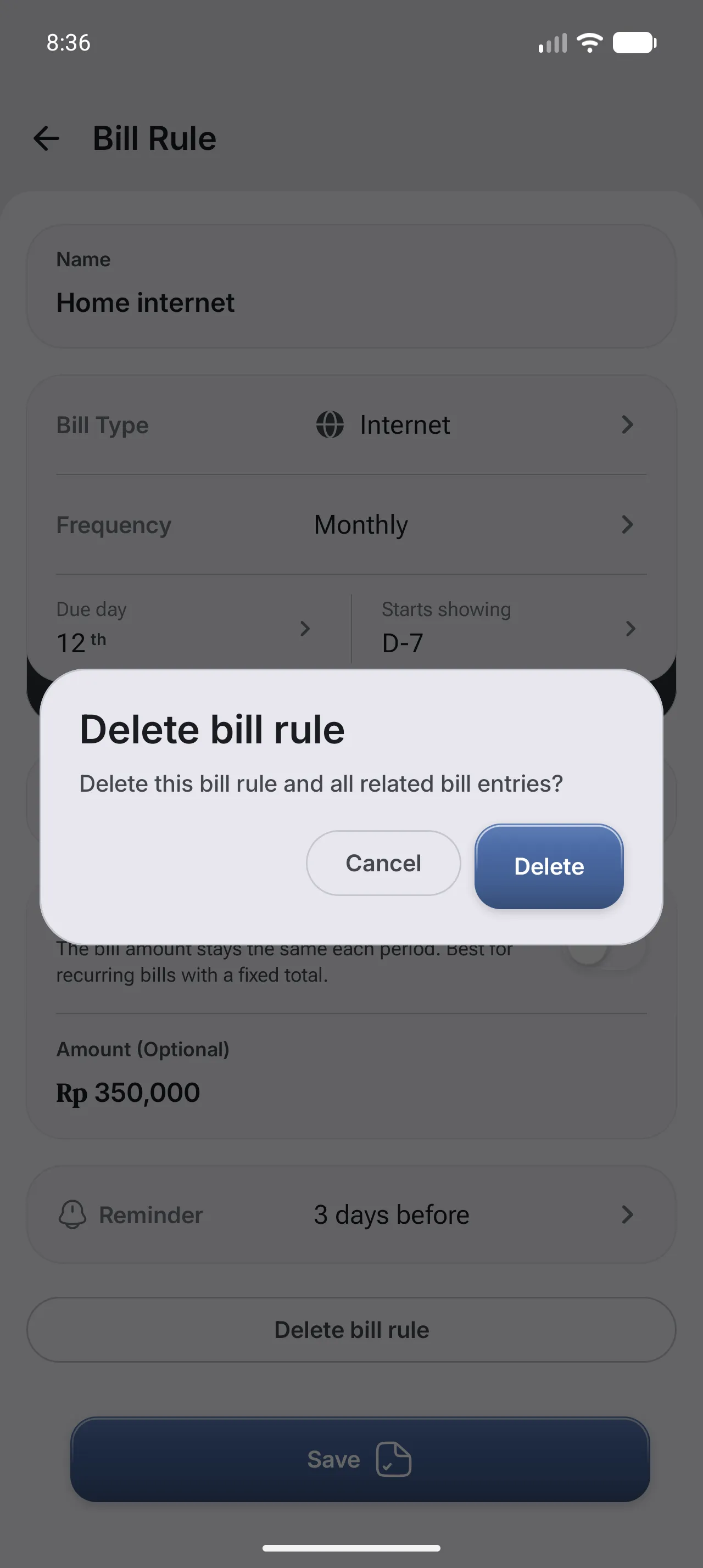
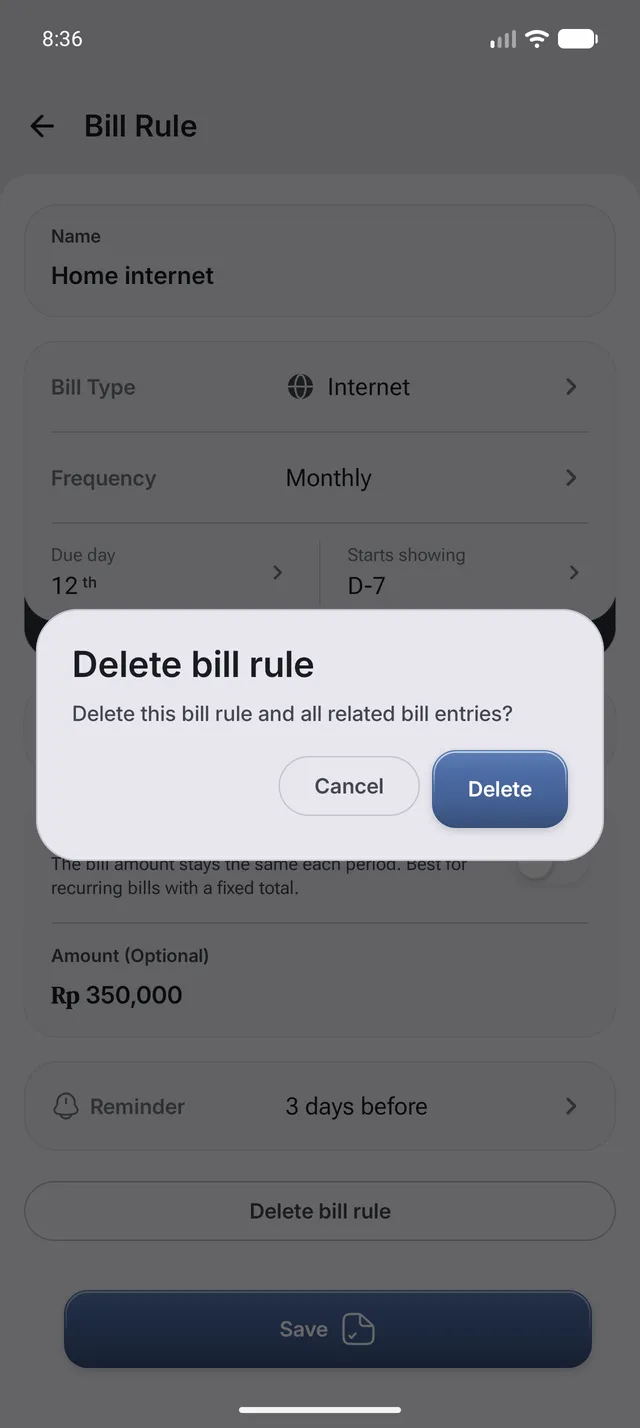
Review the confirmation
The confirmation removes the rule and all related bill entries. Choose Cancel to keep it, or Delete only when you are sure.