Track card and loan bills.
Set the bill schedule, then record payments in Harbour.
Enter the card details
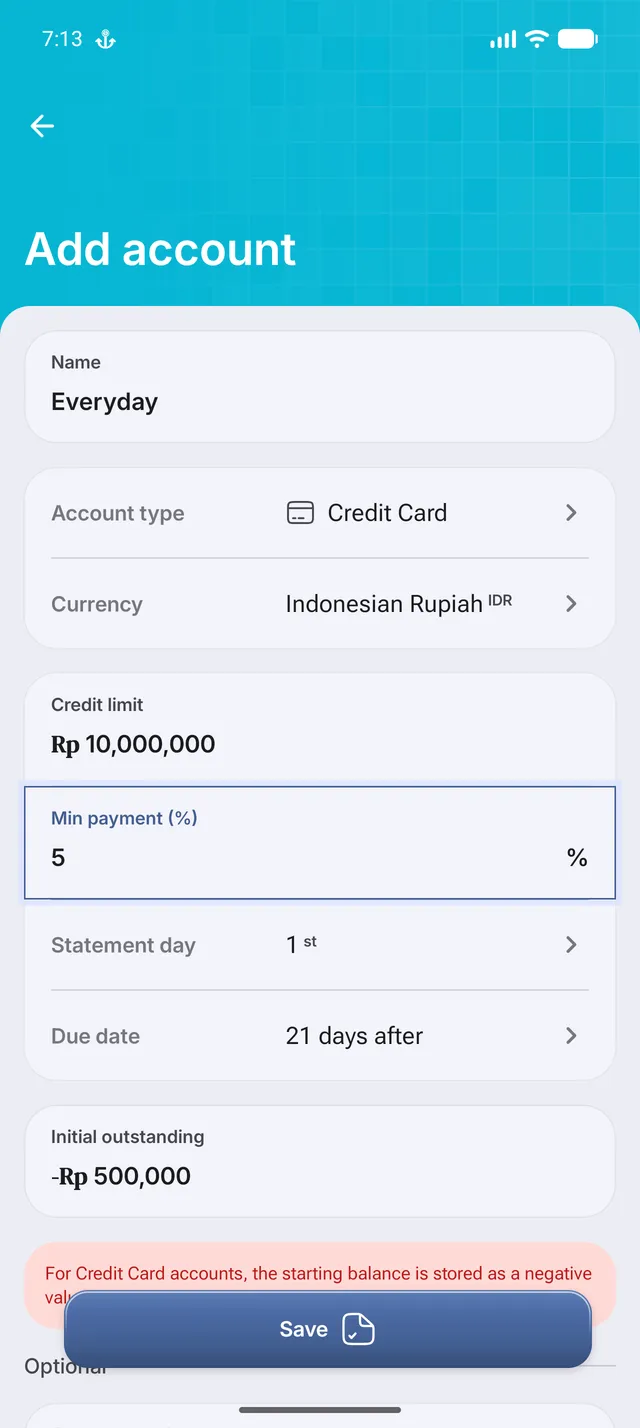
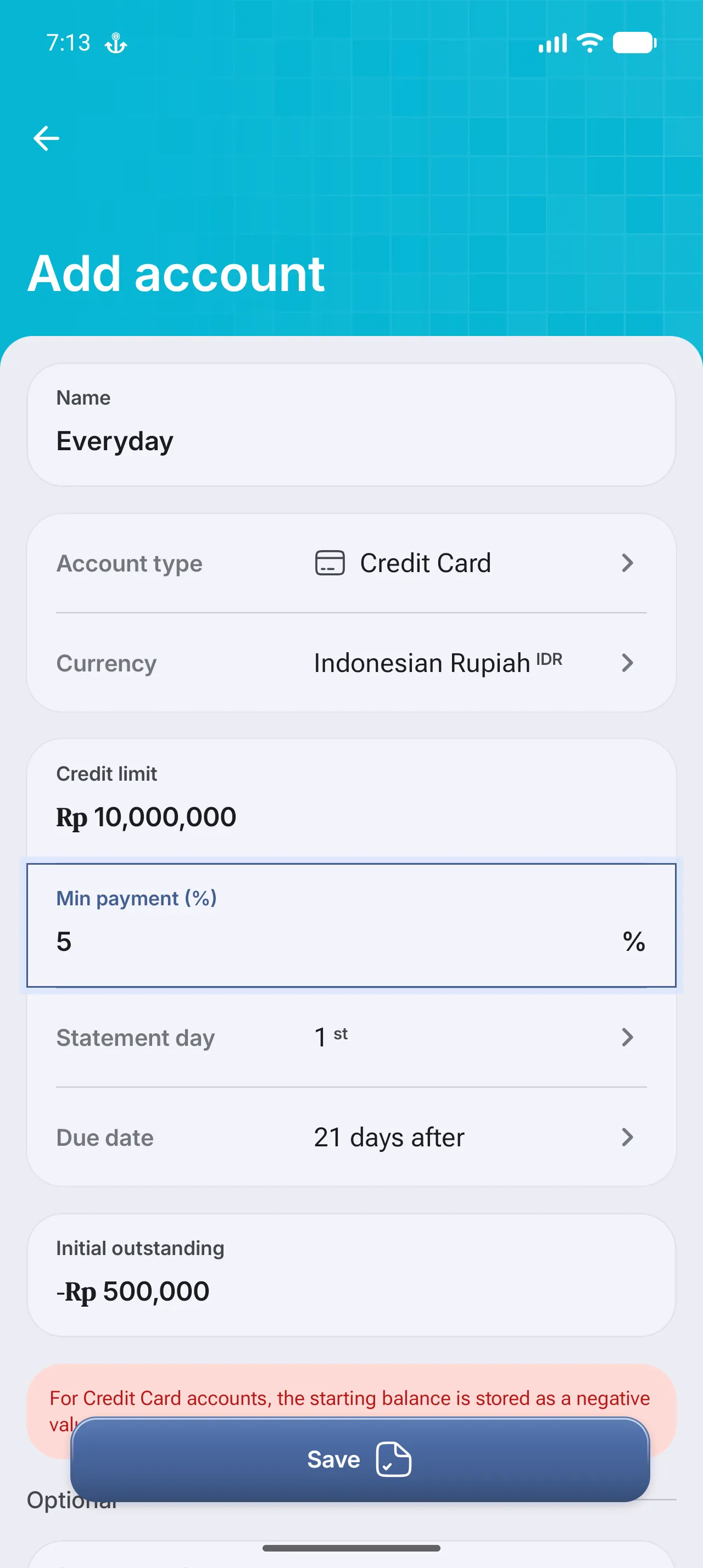
Choose Credit Card when creating the account. Enter the Credit limit and Min payment (%), using the details from your provider. Initial outstanding is what you already owe; enter a positive amount.
Set the bill schedule
Statement day is the day the card statement closes. Due date is the number of days after it. Harbour uses these settings to create the account’s bill schedule.
For a loan or paylater
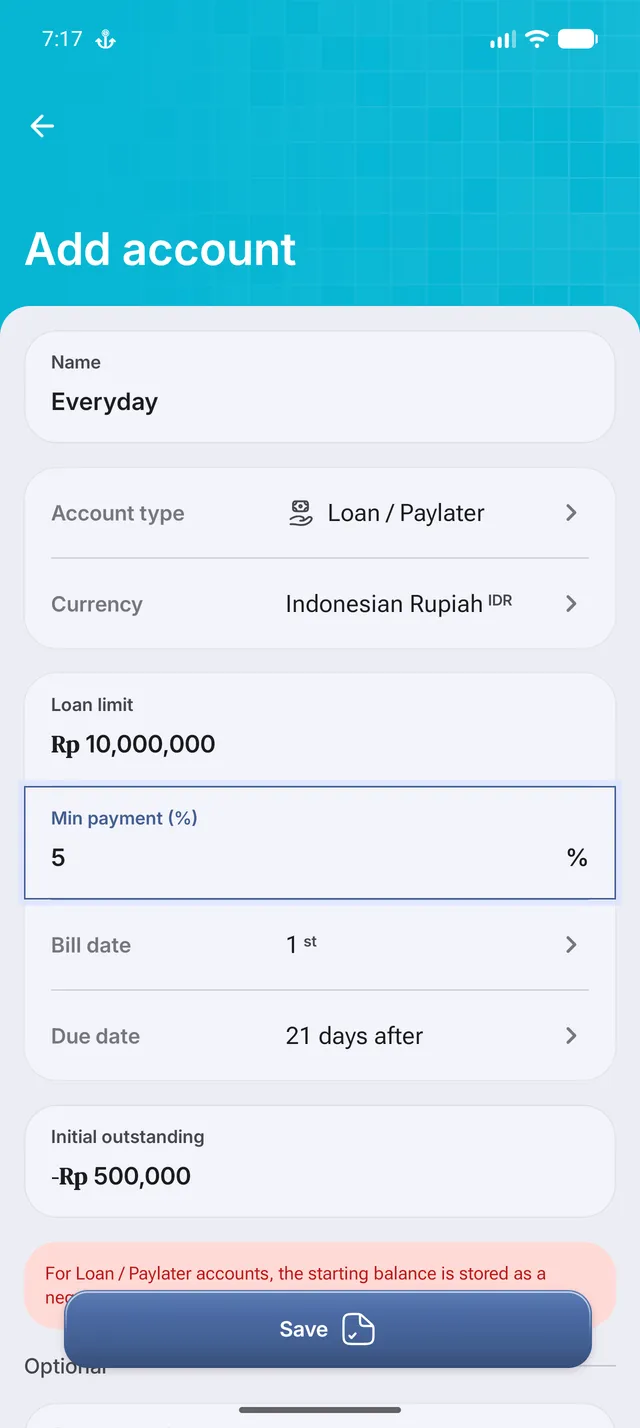
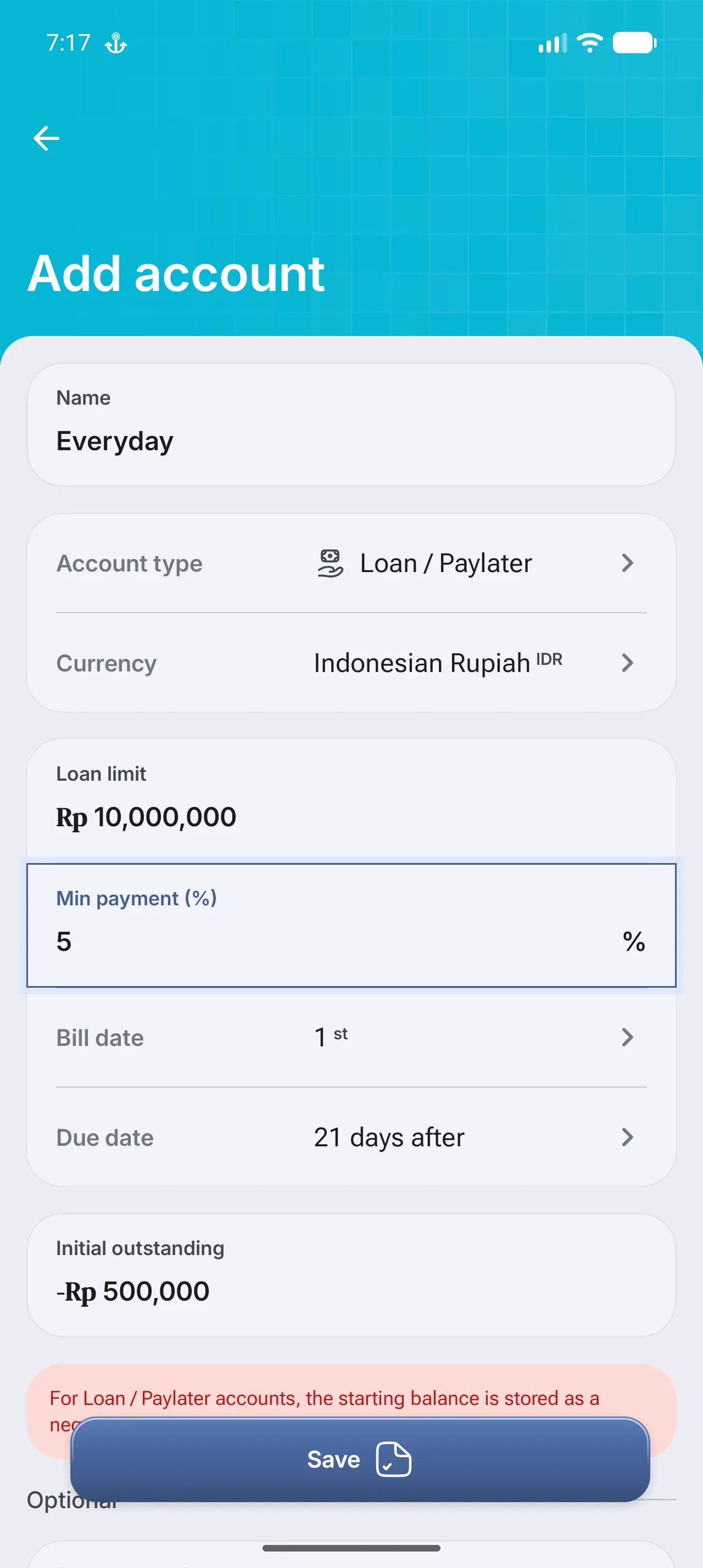
Choose Loan / Paylater for a loan account. It uses Loan limit and Bill date, with the same due-date and outstanding fields. Debt is for other money you owe and does not create automatic bills.
Find the account bill
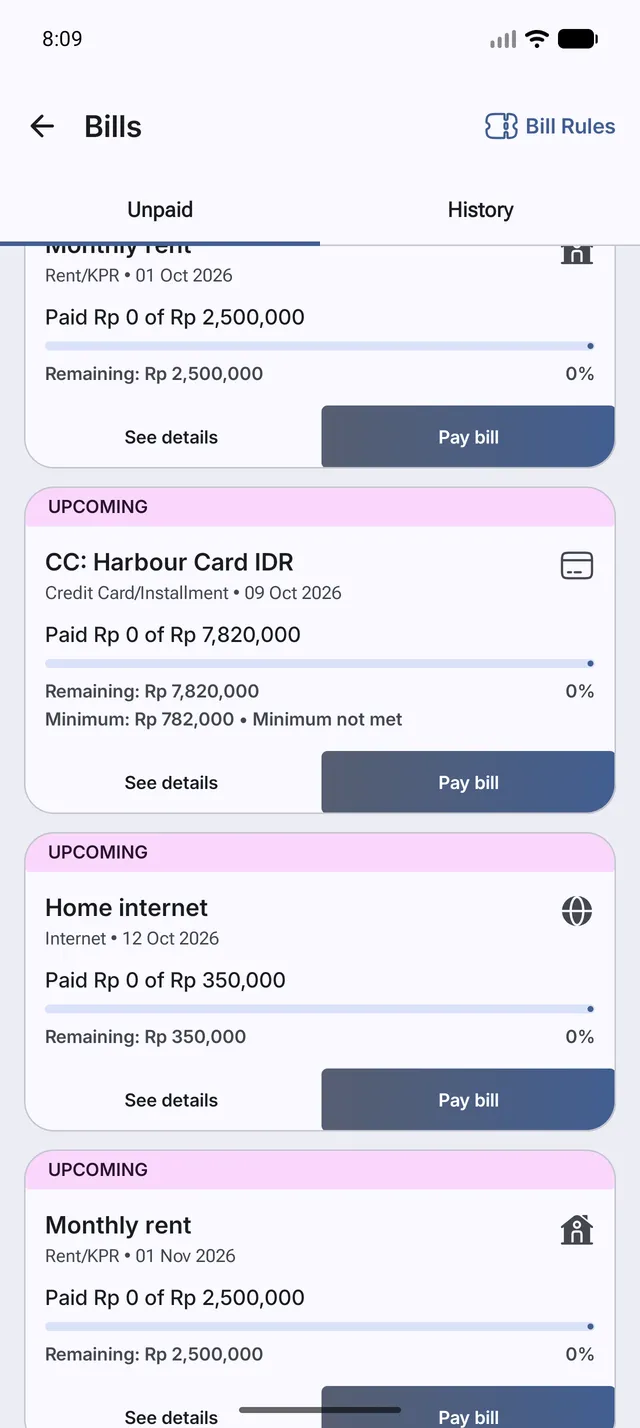
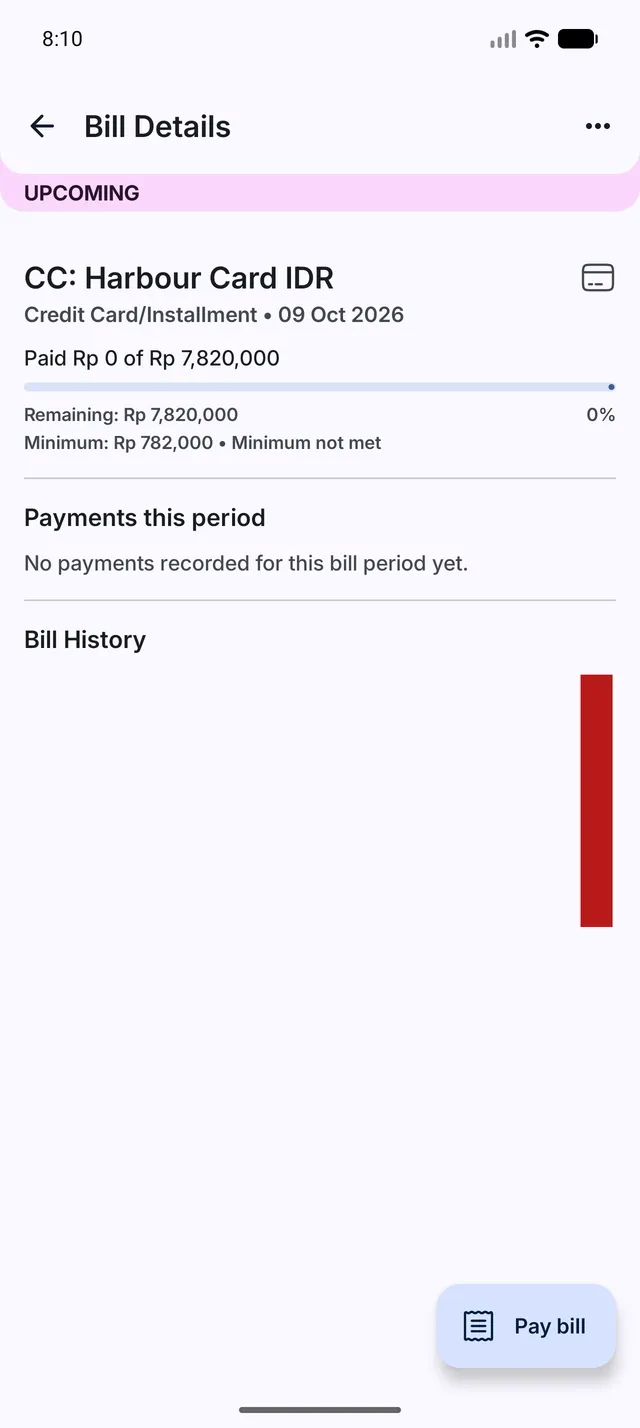
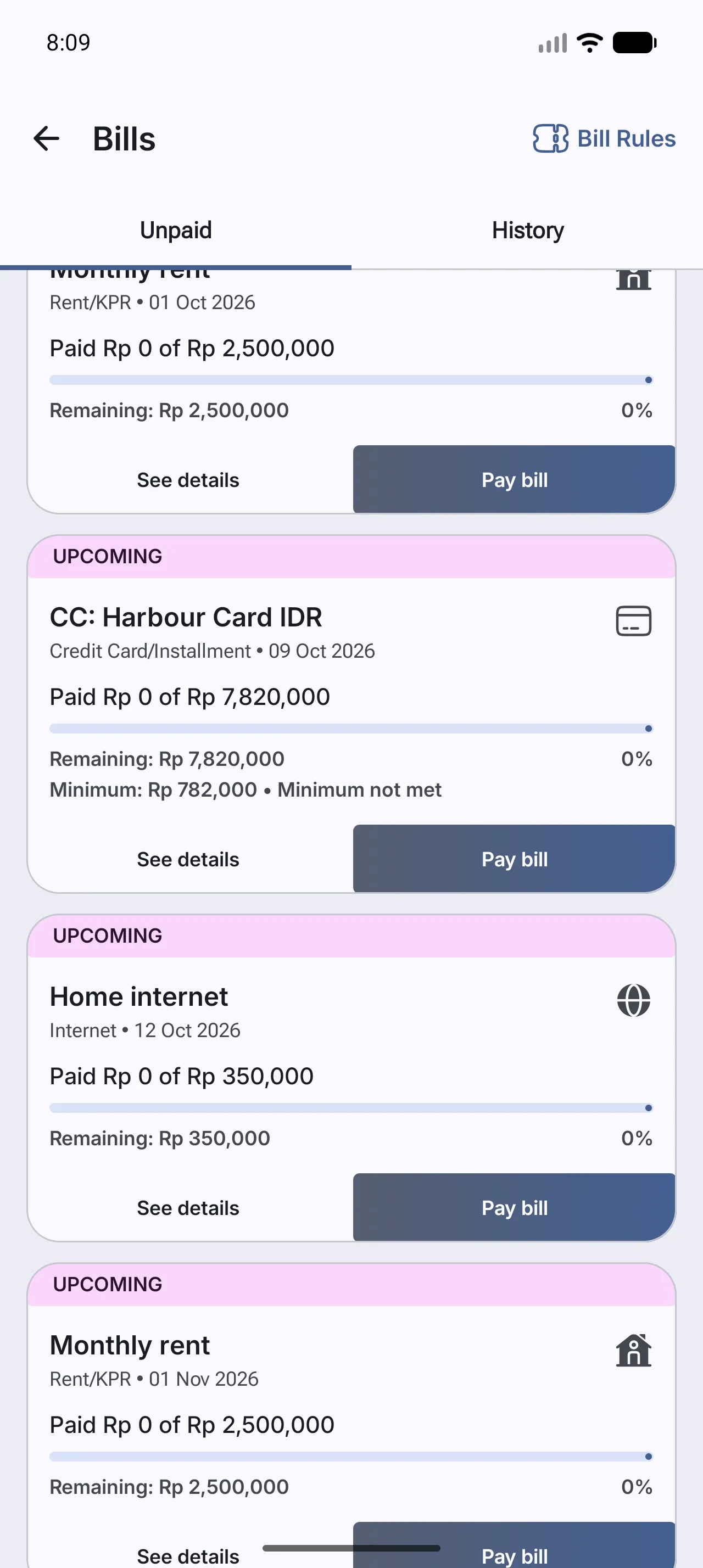
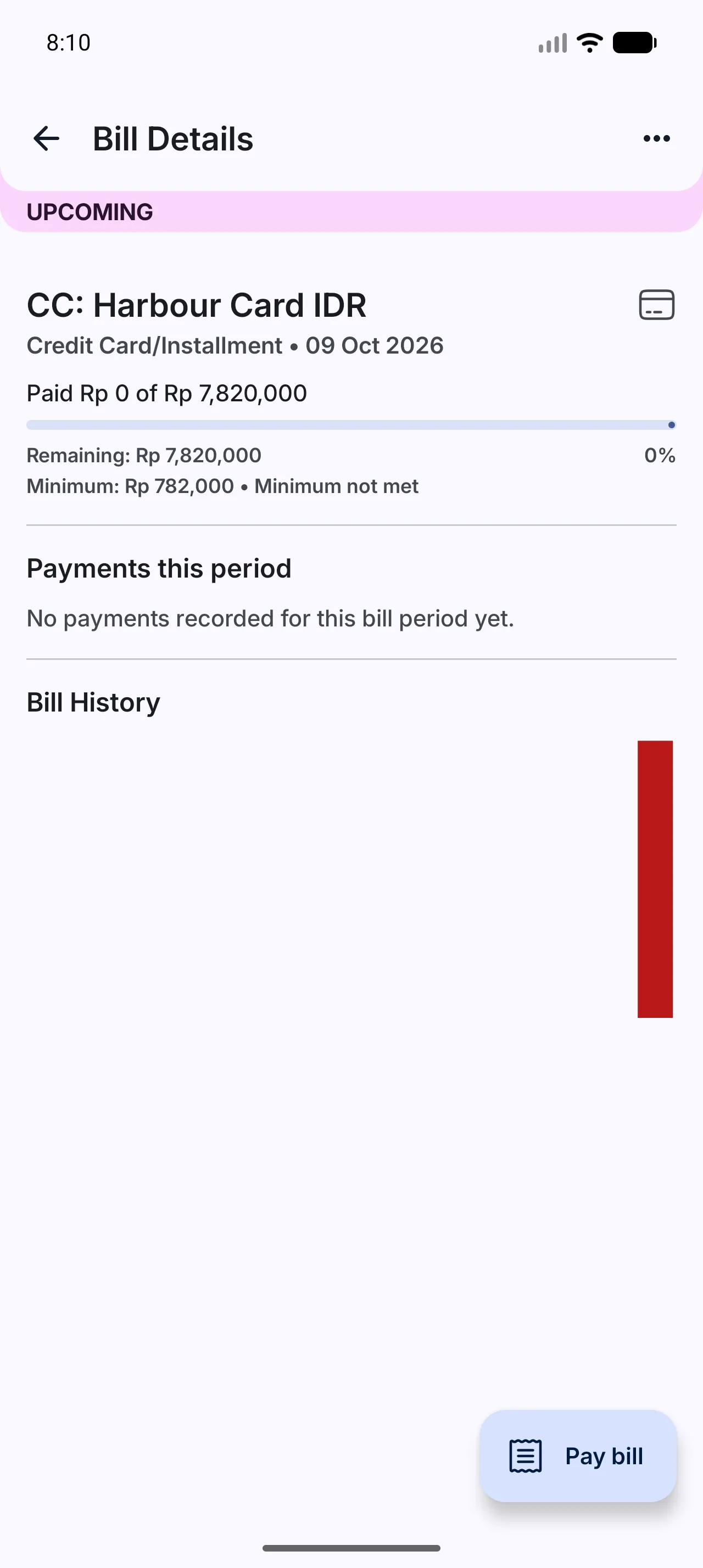
After saving, open Bills from Home. Scroll to the bill with your account name and tap See details. The bill shows its due date, remaining amount, and minimum payment when applicable.
Review the bill
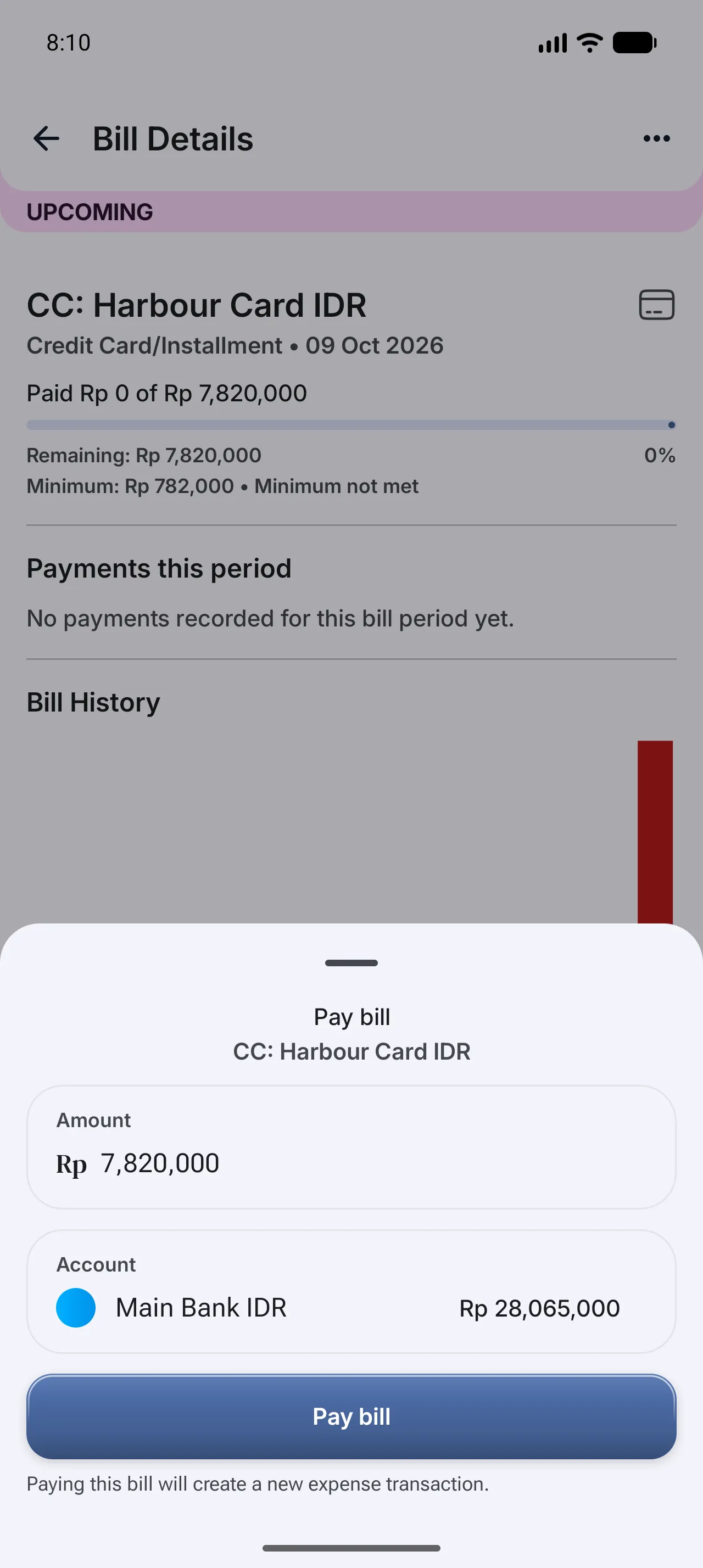
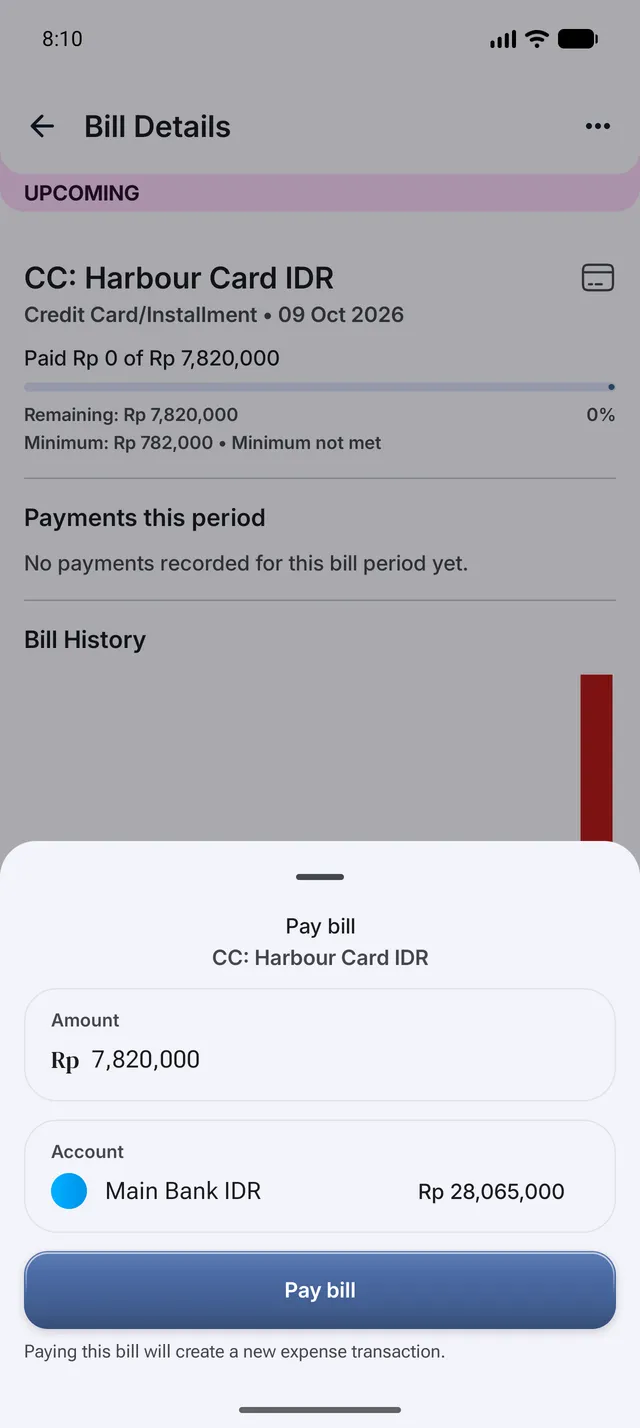
Check the amount and due date. Payments this period lists payments already recorded. Tap Pay bill to record a payment for this bill.
Record the payment
Choose the account you paid from and check the Amount. You can record the full amount or part of it. Tap Pay bill after checking. Harbour records the payment; it does not send money to your provider.