Create an account.
Add the accounts you use and their starting balances.
Open Accounts
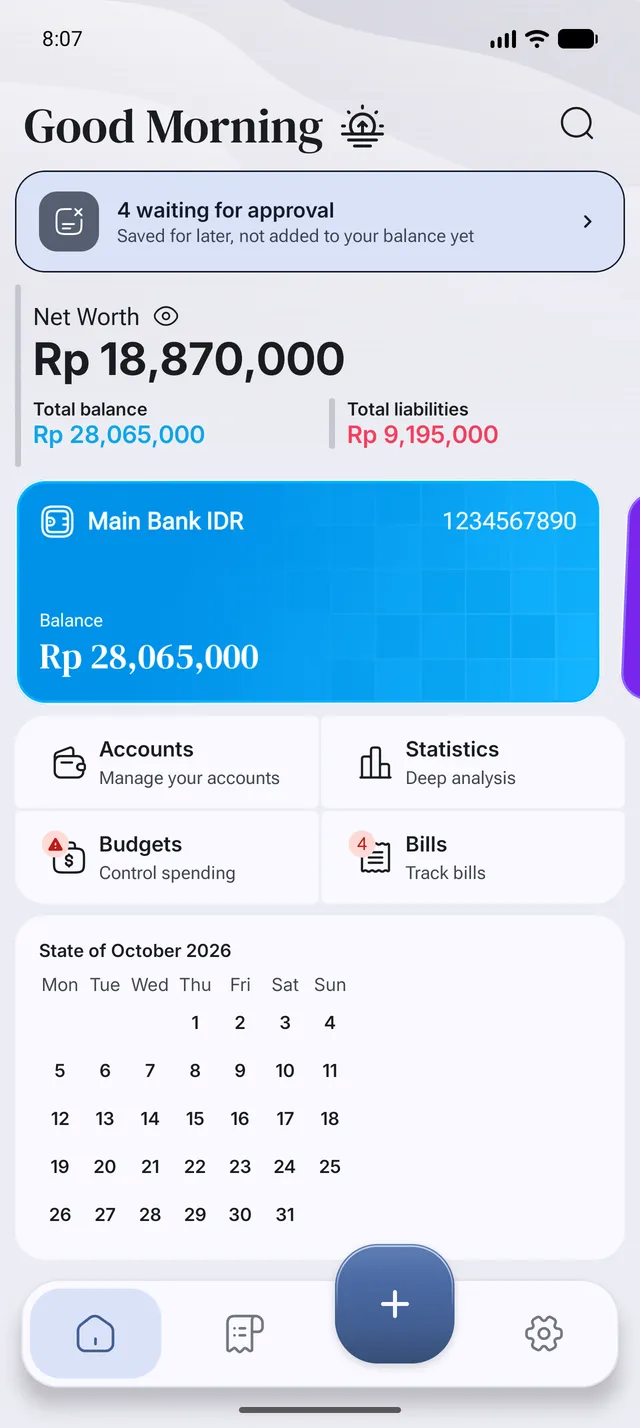
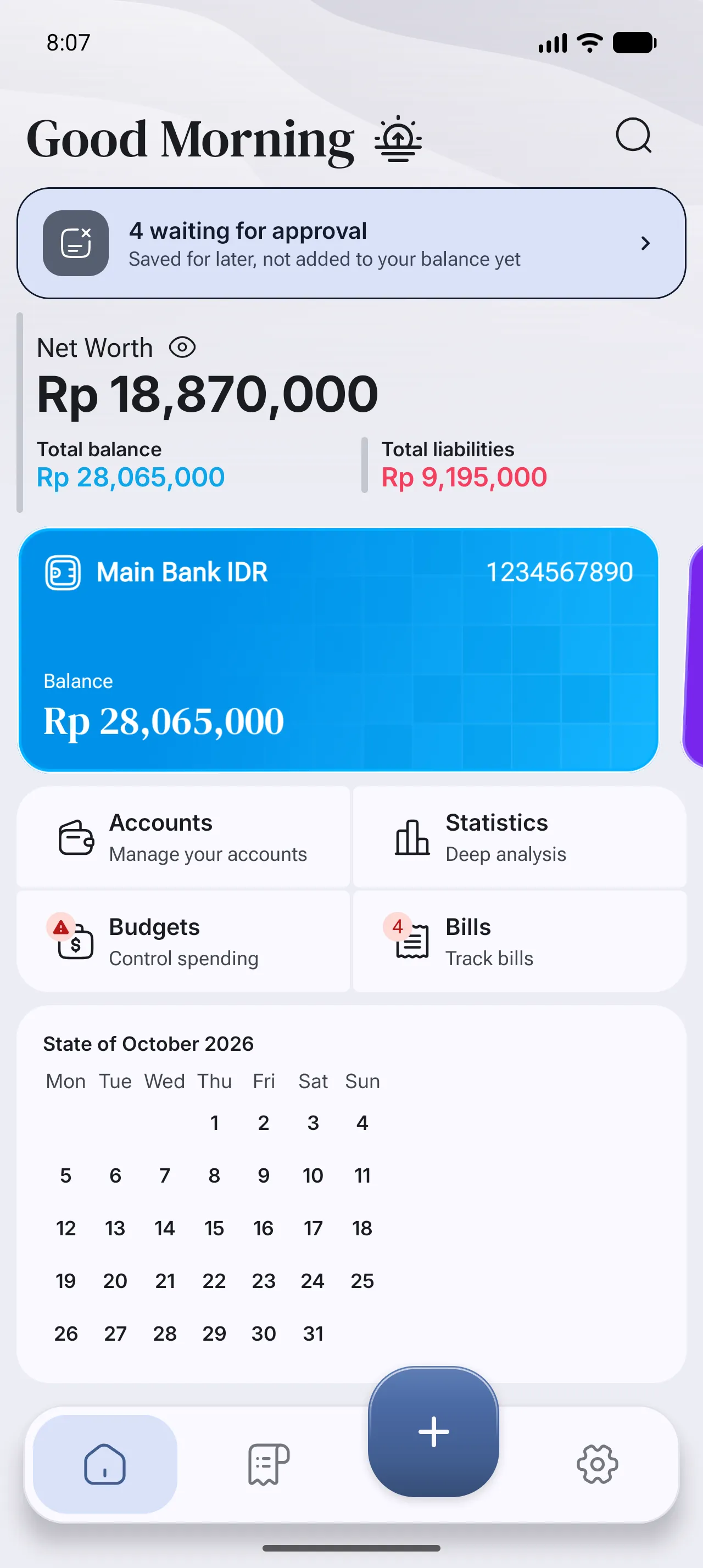
On Home, tap Accounts below your account cards. You can also open Settings and tap Manage Accounts.
Add an account
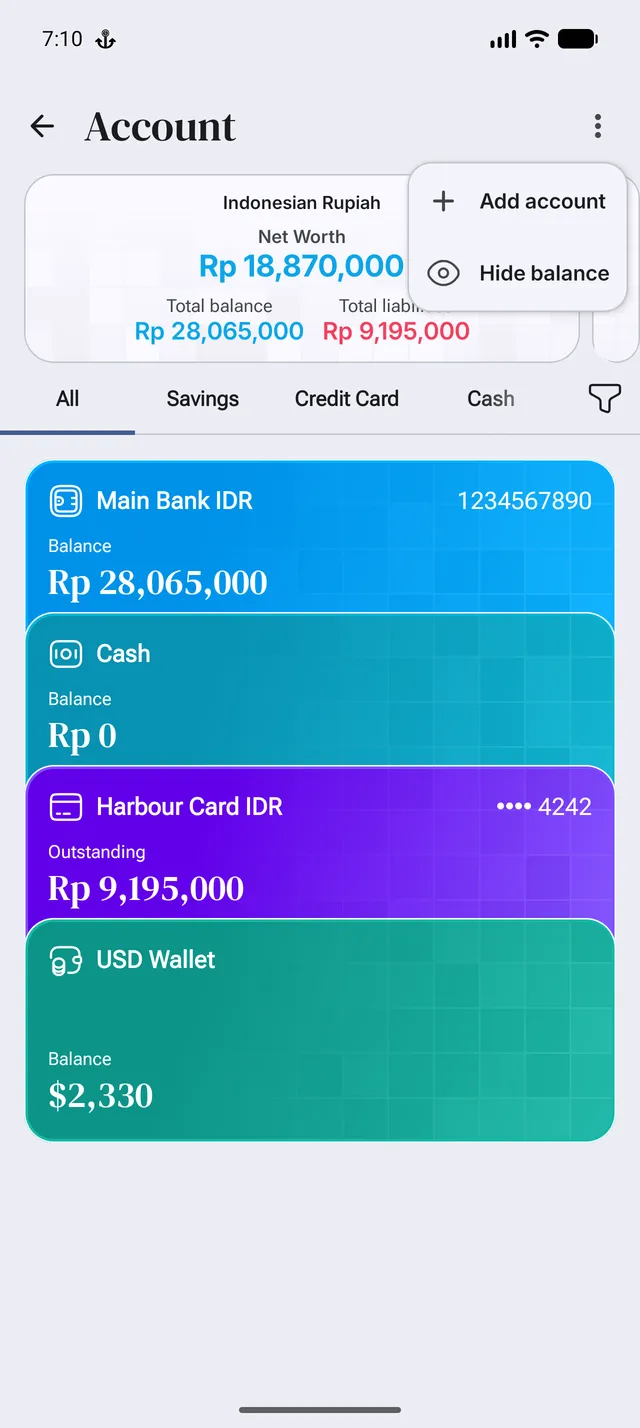
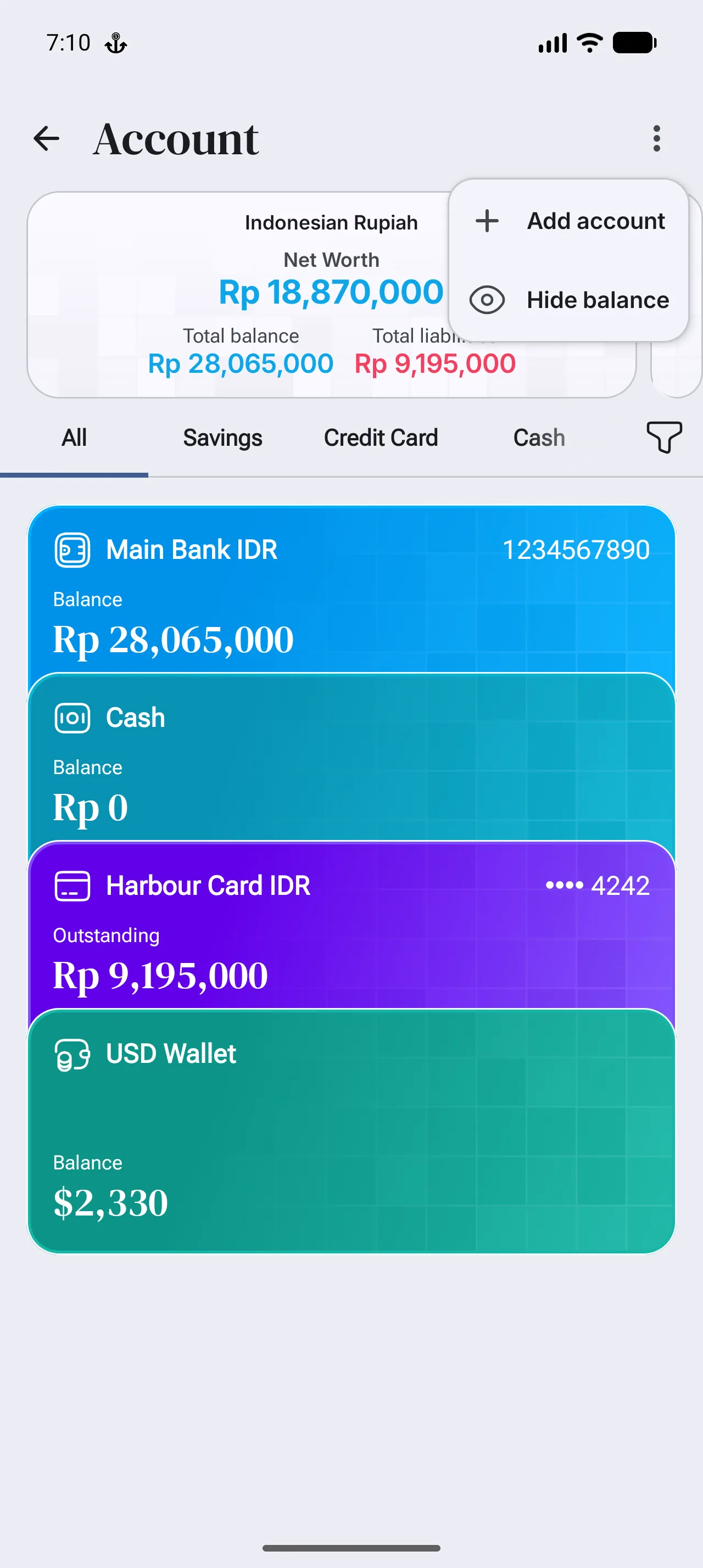
On Account, open the three-dot menu at the top right and tap Add account.
Choose the account type
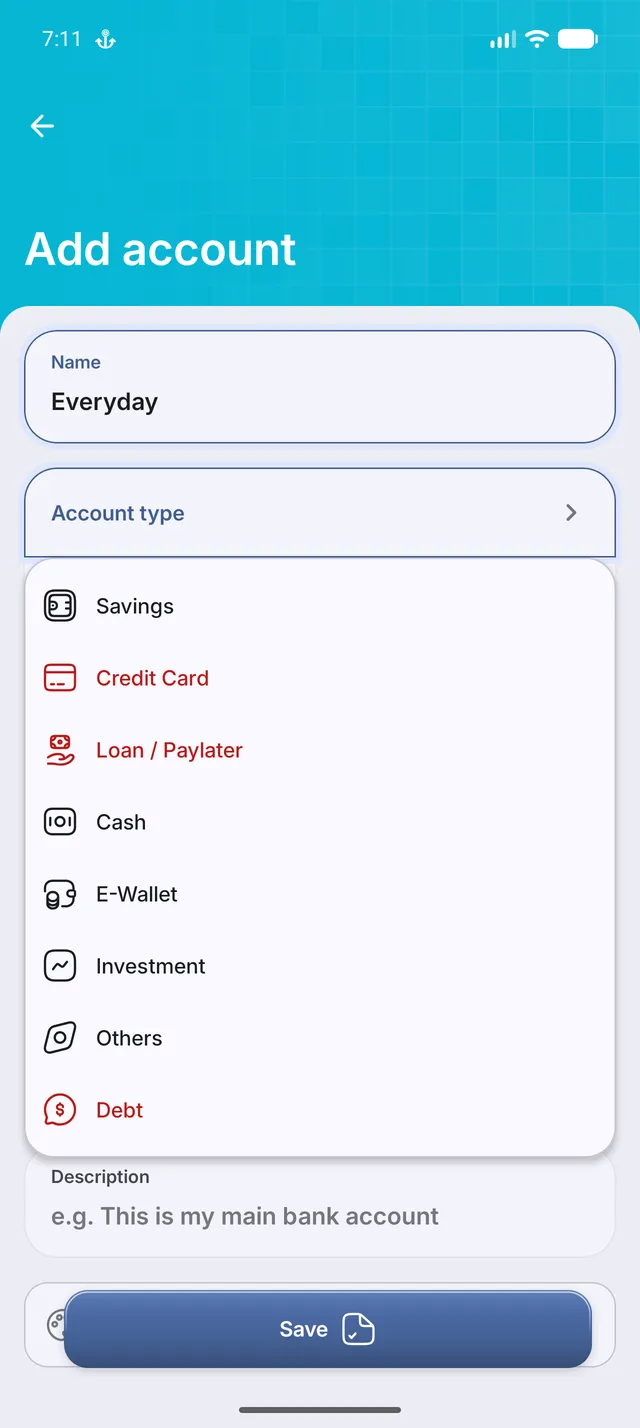
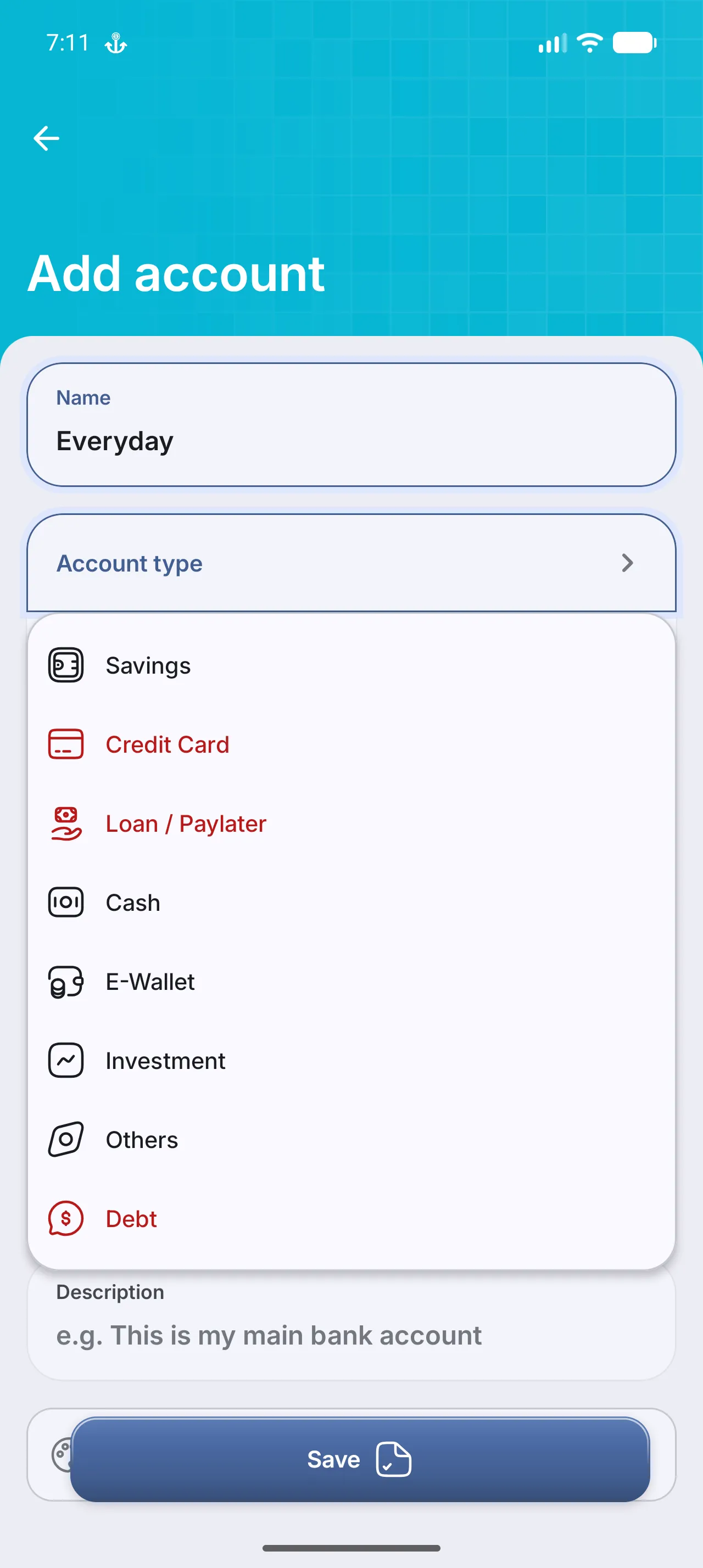
Enter a name, then choose Account type. Use Savings for a bank account, Cash for cash, or E-Wallet for a digital wallet. Credit Card and Loan / Paylater have extra bill settings.
Set the starting balance
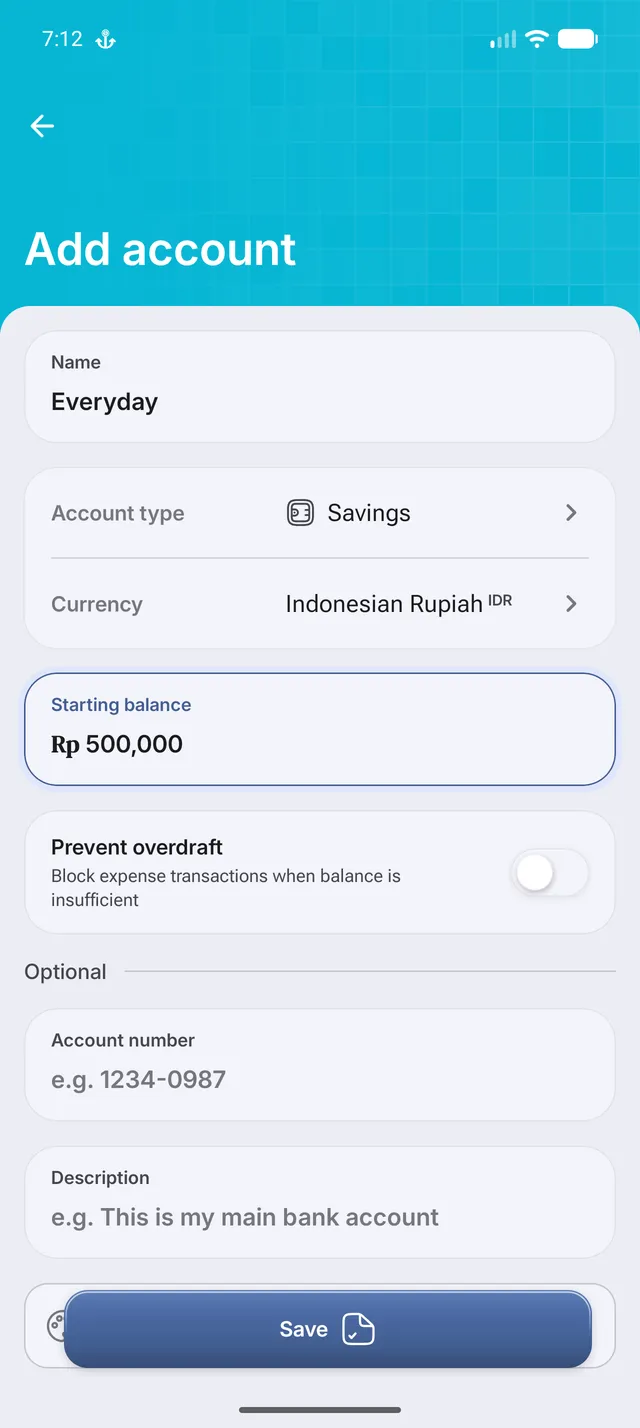
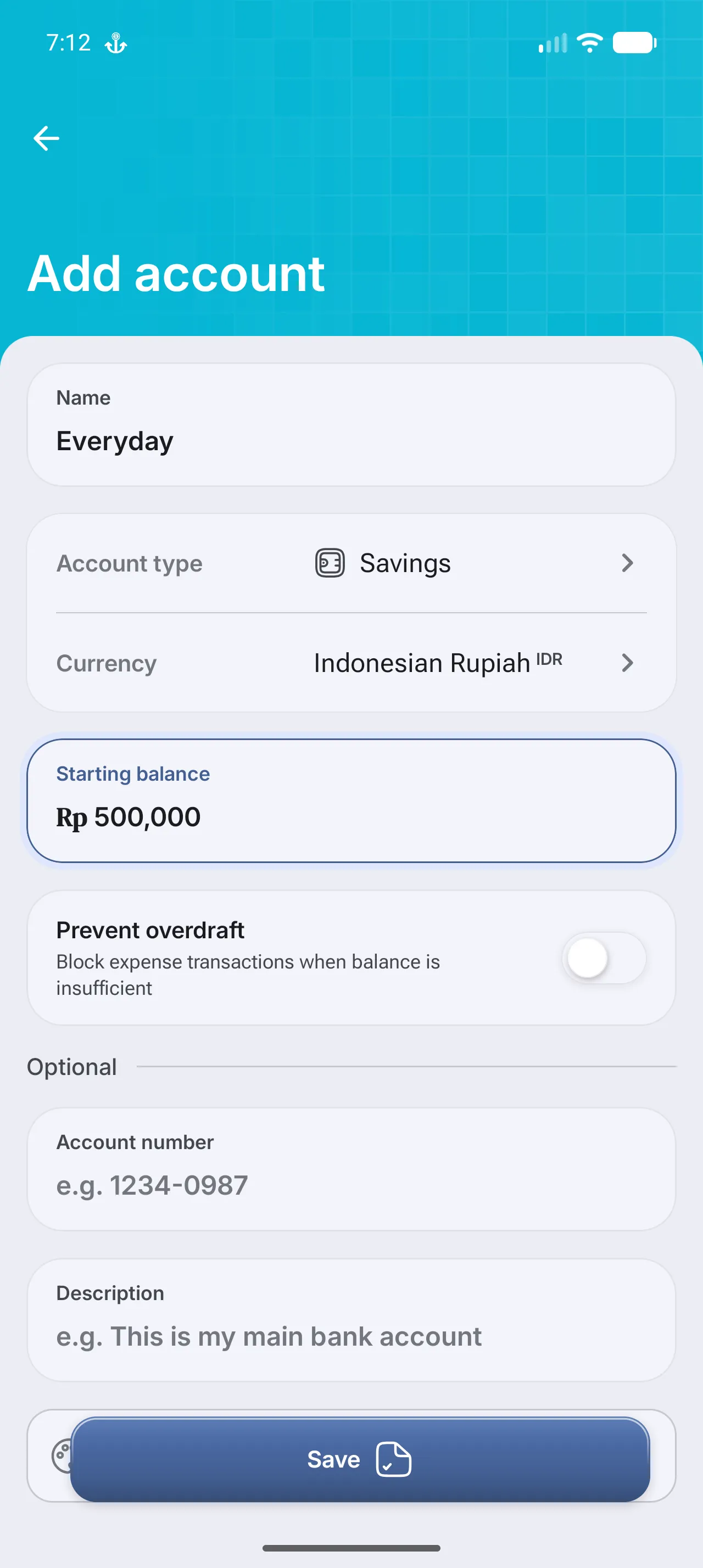
Choose the account currency and enter the money already in the account. Prevent overdraft can block expenses when the balance is too low.
Save your account
Account number, Description, and Accent color are optional. Check your details, then tap Save. For credit cards and loans, see Track credit card and loan bills for the extra fields.